VX16s All-in-One Controller
User Manual
2 Appearance
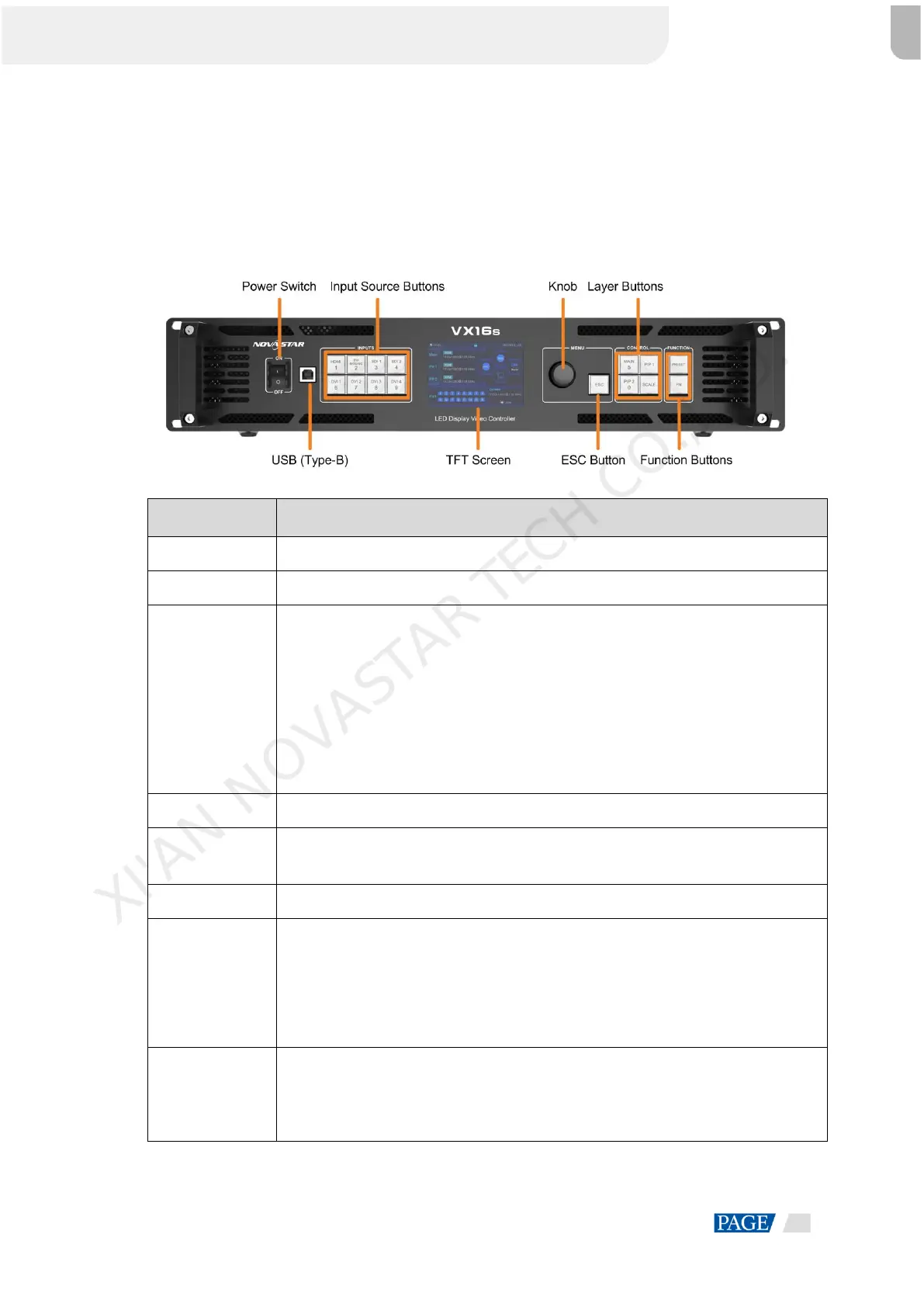
Front Panel 2.1
Power on or power off the device.
Connect to the control PC for debugging.
On the layer editing screen, press the button to switch the input source for the layer;
otherwise, press the button to enter the resolution settings screen for the input source.
Status LEDs:
On (orange): The input source is accessed and used by the layer.
Dim (orange): The input source is accessed, but not used by the layer.
Flashing (orange): The input source is not accessed, but used by the layer.
Off: The input source is not accessed and not used by the layer.
Display the device status, menus, submenus and messages.
Rotate the knob to select a menu item or adjust the parameter value.
Press the knob to confirm the setting or operation.
Exit the current menu or cancel the operation.
Press a button to open a layer, and hold down the button to close the layer.
MAIN: Press the button to enter the main layer settings screen.
PIP 1: Press the button to enter the settings screen for PIP 1.
PIP 2: Press the button to enter the settings screen for PIP 2.SCALE: Turn on or
turn off the full screen scaling function of the bottom layer.
PRESET: Press the button to enter the preset settings screen.
FN: A shortcut button, which can be customized as a shortcut button for
Synchronization (default), Freeze, Black Out, Quick Configuration or Image Color
function
XI'AN NOVASTAR TECH CO.,LTD.



 To Next Page