VX16s All-in-One Controller
User Manual
Ethernet port 1 must be always at the beginning of the whole physical connection.
Operating Procedure
Step 1 Power on the LED screen.
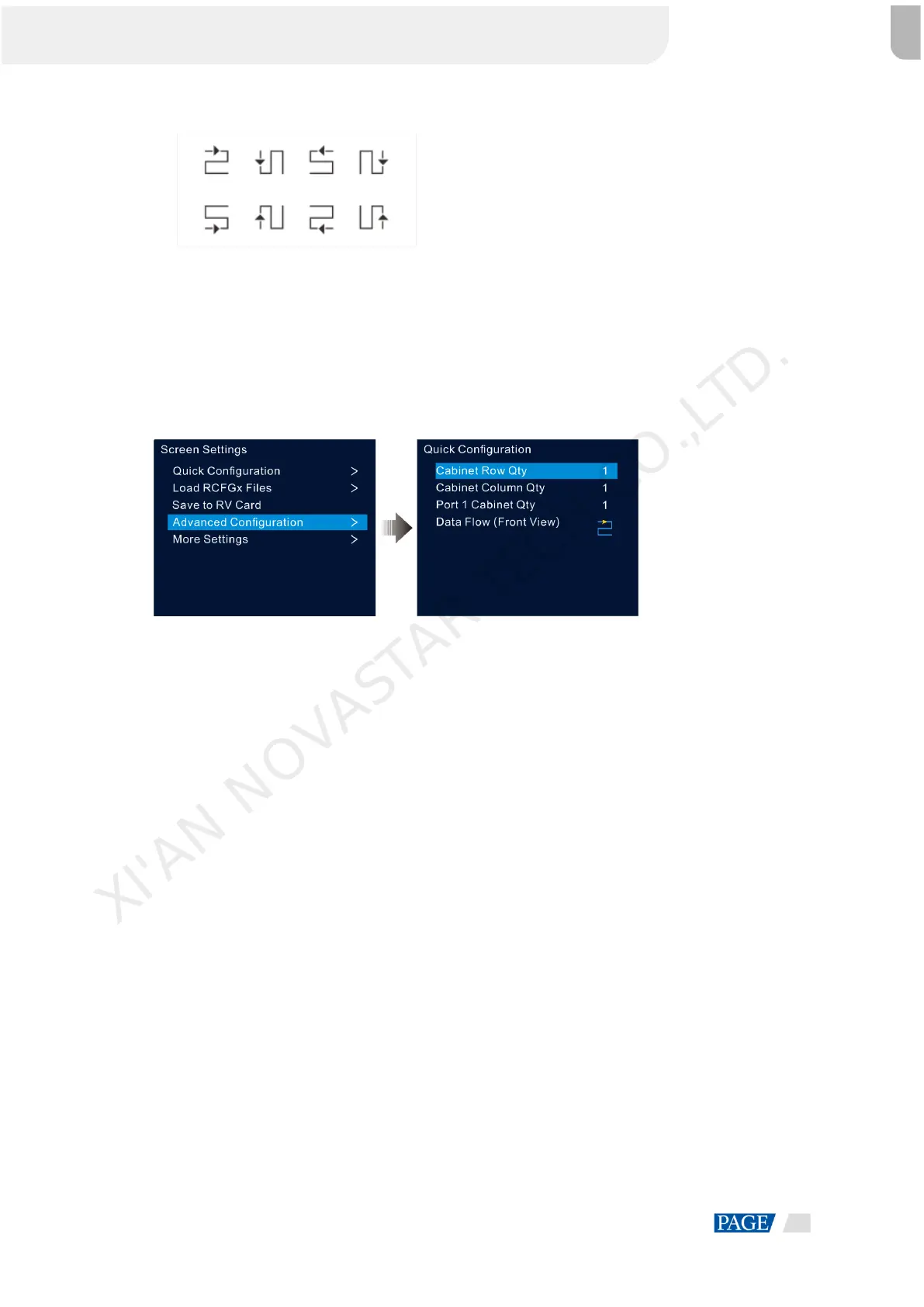
Step 2 On the home screen, press the knob to enter the main menu screen. Then rotate the knob to choose Screen
Settings > Quick Configuration and press the knob to enter the quick configuration screen.
Figure 5-2 Quick configuration
Step 3 Set Cabinet Row Qty and Cabinet Column Qty according to the actual row and column quantities of the
cabinets.
Step 4 Rotate the knob to select Port 1 Cabinet Qty and set the quantity of the cabinets loaded by Ethernet port 1.
Step 5 Rotate the knob to select Data Flow (Front View) and press the knob, then select an appropriate data flow
pattern of the cabinets.
During data flow settings, you can see the result on the LED screen in real time. If the entire screen displays
content correctly, that is, no overlapping or repetition, press the knob to save the settings.
5.2.2 Loading RCFGx Files
After the LED screen is powered on, if a cabinet or the entire LED screen is not lit, you can load the receiving
card configuration files (namely RCFGx files) that have been configured in NovaLCT to the VX16s.
Step 1 (Optional) After you have configured the screen in NovaLCT, click Save to File under the Receiving Card tab
to save the configuration file to the PC.
XI'AN NOVASTAR TECH CO.,LTD.



 To Next Page