VX16s All-in-One Controller
User Manual
1280×720@(23.98/24/25/29.97/30/48/50/59.94/60)Hz
1280×1024@(48/50/59.94/60/75/85)Hz
1600×1200@(48/50/59.94/60)Hz
1920×1080@(23.98/24/25/29.97/30/48/50/59.94/60)Hz
1920×1200@(50/59.94/60)Hz
2048×1080@(30/48/50/59.94/60)Hz
2560×1080@(50/59.94/60)Hz
2560×1600@(50/59.94/60)Hz
3840×1080@(50/59.94/60)Hz
3840×2160@(23.98/24/25/29.97/30)Hz
3840×2160@(50/59.94/60)Hz
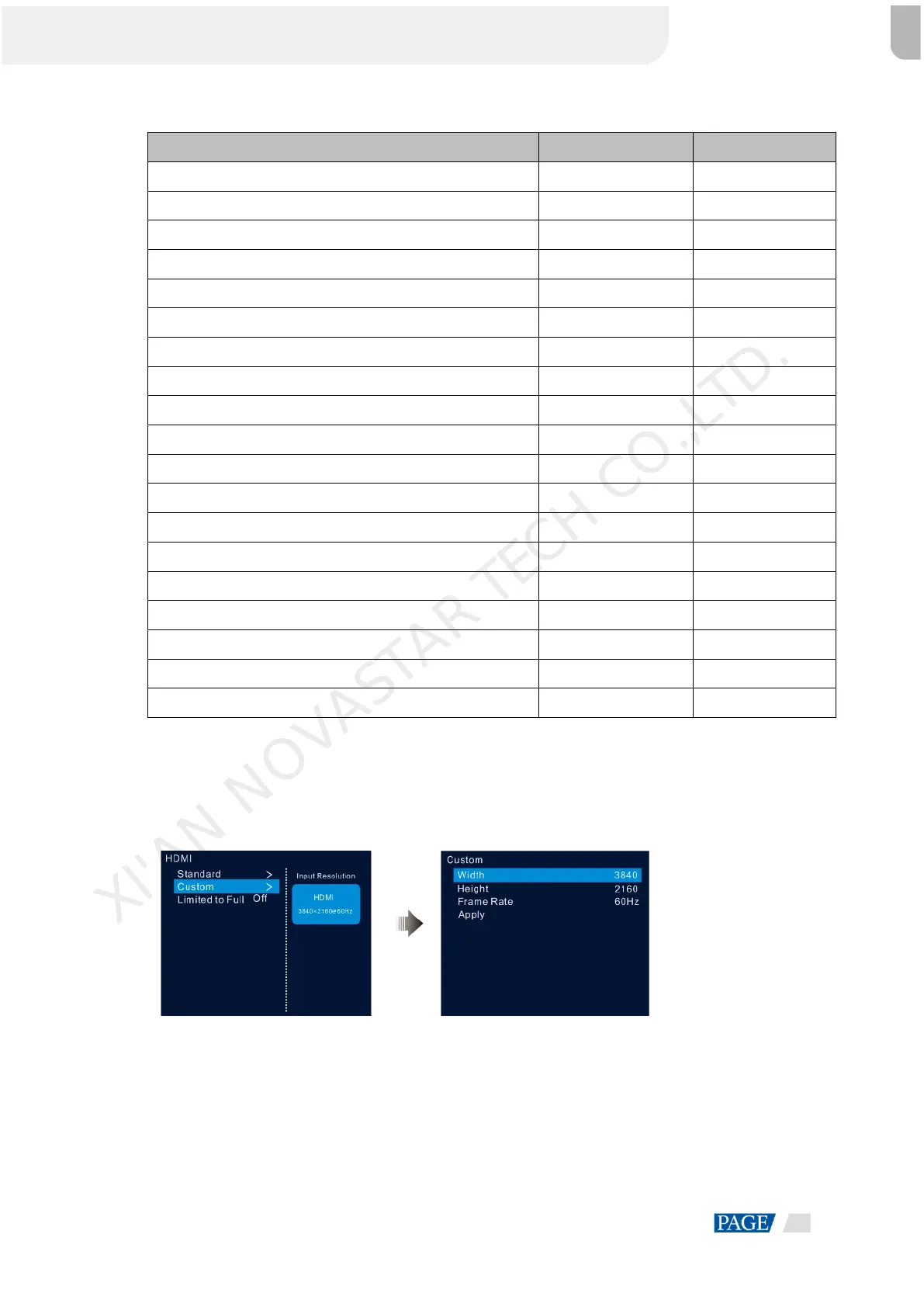
Custom Resolution
Rotate the knob to set a custom width, height and frame rate. Then rotate the knob to select Apply and press
the knob to apply your settings. If you do not press the knob to confirm, the settings will not take effect.
Figure 5-15 Custom resolution
5.4.3 DVI Mosaic
Step 1 Rotate the knob to choose Input Settings > DVI.
Step 2 Adjust the resolutions of DVI 1, 2, 3 and 4 together. For the adjustment procedure, see 5.4.2 Input
Resolution Settings.
XI'AN NOVASTAR TECH CO.,LTD.


 To Next Page