VX16s All-in-One Controller
User Manual
Image Mosaic 5.7
The image mosaic function is required when the resolution of an LED screen is greater than the loading
capacity of a single VX16s unit. The total pixels loaded by all linked VX16s units equals the total resolution of
the LED screen.
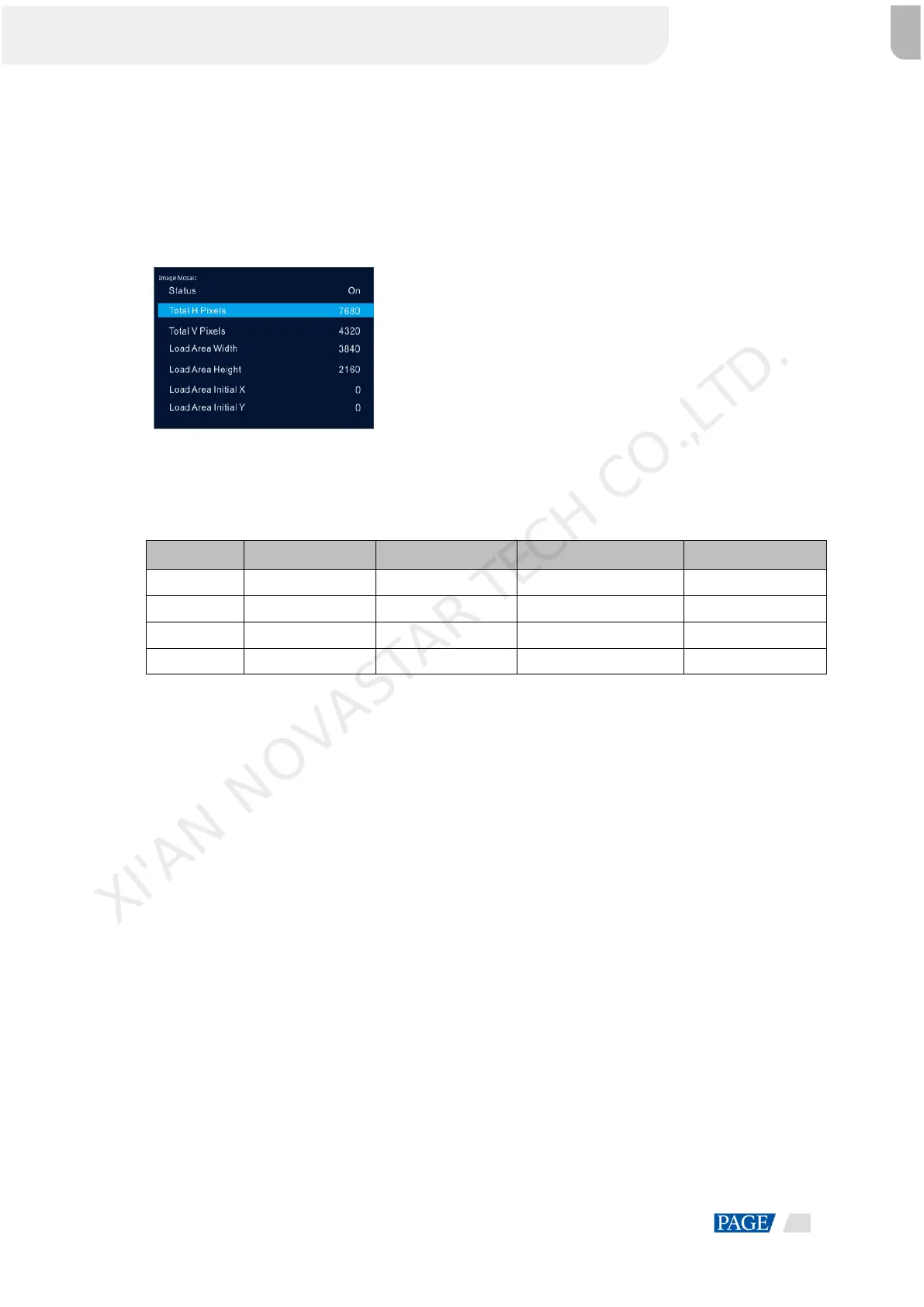
Figure 5-18 Image mosaic parameters
Example: If the resolution of the LED screen is 7680×4320 which exceeds the loading capacity of a single
VX16s unit, four VX16s units will be required together for image mosaic.
Table 5-4 Parameter settings
Advanced Settings 5.8
5.8.1 Hot Backup
You can set the VX16s as the primary device or backup device. The data flow patterns in both the modes are
the same.
Set as Primary: The icon of the target Ethernet port on the home screen is highlighted.
Set as Backup: The icon of the target Ethernet port on the home screen is highlighted and a small triangle
appears on the bottom right of the icon.
When the primary device fails, the backup device will take over the work in real time.
5.8.2 Synchronization
Select a synchronization signal to synchronize all the linked VX16s units and keep the display of the output
images of all the units in sync.
Step 1 Rotate the knob to select Synchronization and press the knob to enter the submenu.
Step 2 Rotate the knob to set the synchronization status and source.
Status: Turn on or turn off this function. It defaults to Off.
Source: Select the target input source.
XI'AN NOVASTAR TECH CO.,LTD.



 To Next Page