VX6s All-in-One Controller
User Manual
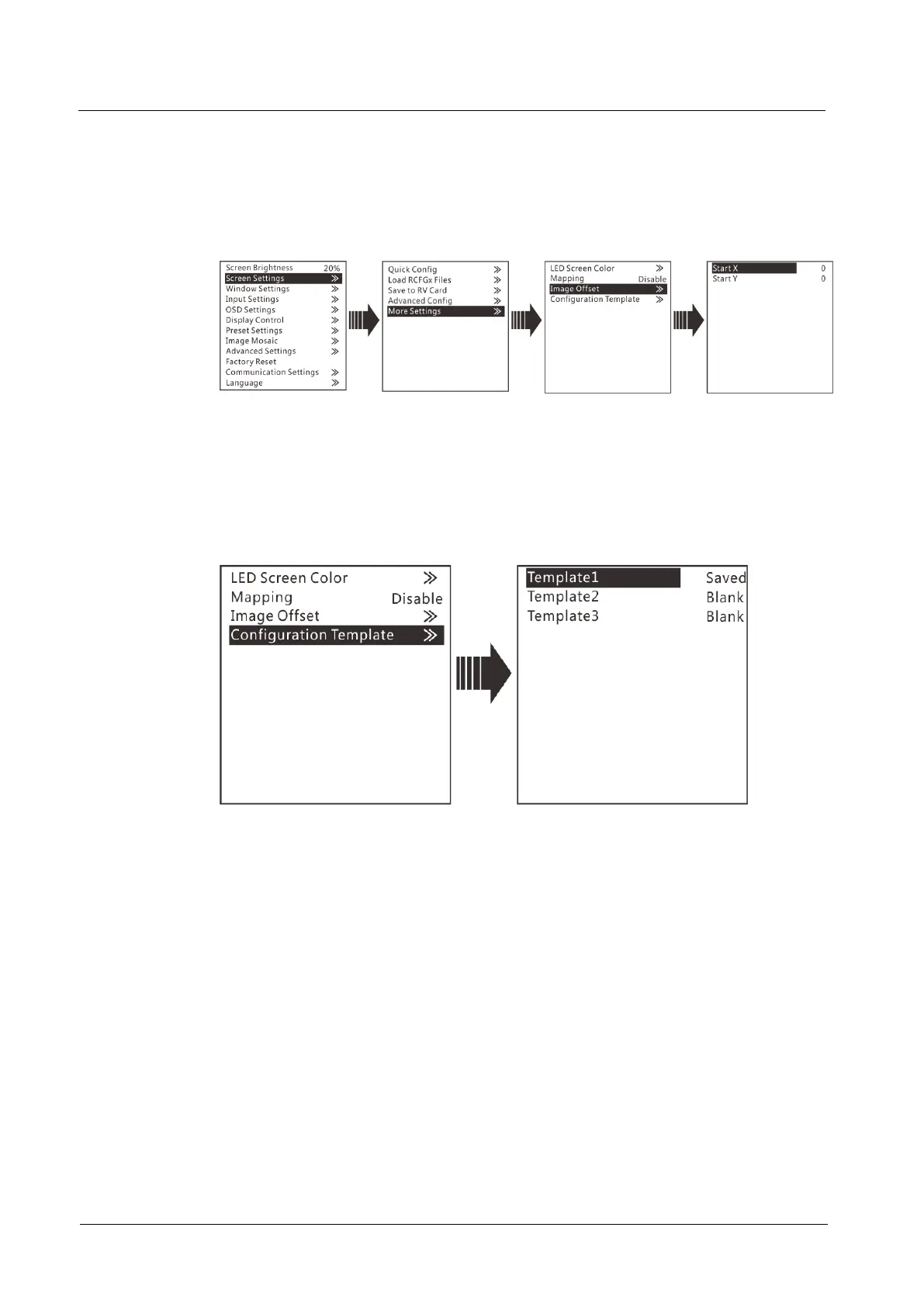
Image Offset
You can adjust the position of the image displayed on the screen, including its
horizontal start position and vertical start position.
Figure 3-10 Image offset
Configuration Template
The VX6s supports configuring 3 templates of screen configuration. After the screen
is configured, save the configuration parameters as a configuration template. The
screen configuration parameters can be directly applied by choosing a template.
Figure 3-11 Configuration template
3.4 Window Settings
The VX6s supports up to 3 windows. The input source, size, position, priority and
input cropping of each window can be set.
Window Settings
Step 1 Rotate the knob to select Window1 Setting, and press the knob to enter the
submenu.
Step 2 Rotate the knob to select a parameter item you want to adjust and press the knob to
enter the parameter adjustment status. Then, rotate the knob to adjust the parameter
value. At last, press the knob again to confirm the parameter value.
Window1 State: The status of current window
Input Source: The input source used by current window



 To Next Page