VX6s All-in-One Controller
User Manual
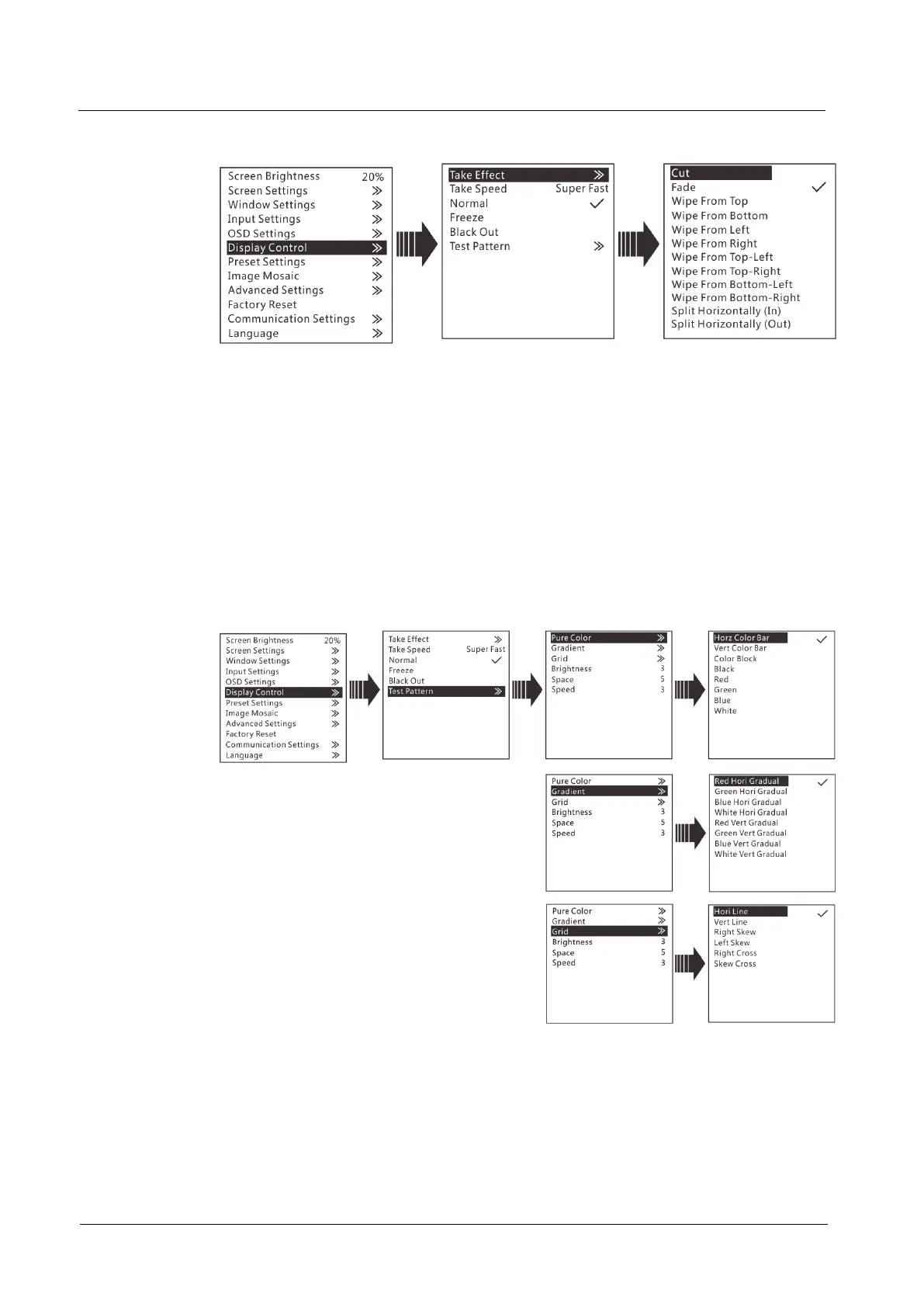
Figure 3-18 Display control
Take Effect: The transition effects of sending PVW image to PGM. There are 22
effects in total, such as cut, fade, wipe from top, wipe from bottom, etc.
Take Speed: The speed of transition effects, including slow, medium slow,
medium, fast, and super fast.
Normal: The LED screen displays the content of current input source normally.
Freeze: The current frame is frozen and always displayed.
Black Out: The screen goes black and does not display the content.
Test Pattern: There are 22 test patterns in total, including pure colors, gradients
and grids. You can adjust the brightness, space and speed of the test pattern
based on test needs.
Figure 3-19 Test pattern
3.8 Preset Settings
The VX6s supports 16 user presets. After the preset data is configured, you can
recall and use the configured presets by selecting the preset name.



 To Next Page