VX6s All-in-One Controller
User Manual
Click , select the files you want to delete, and then click Delete Selected to
delete the selected files.
Click to select the transition effect for switching files.
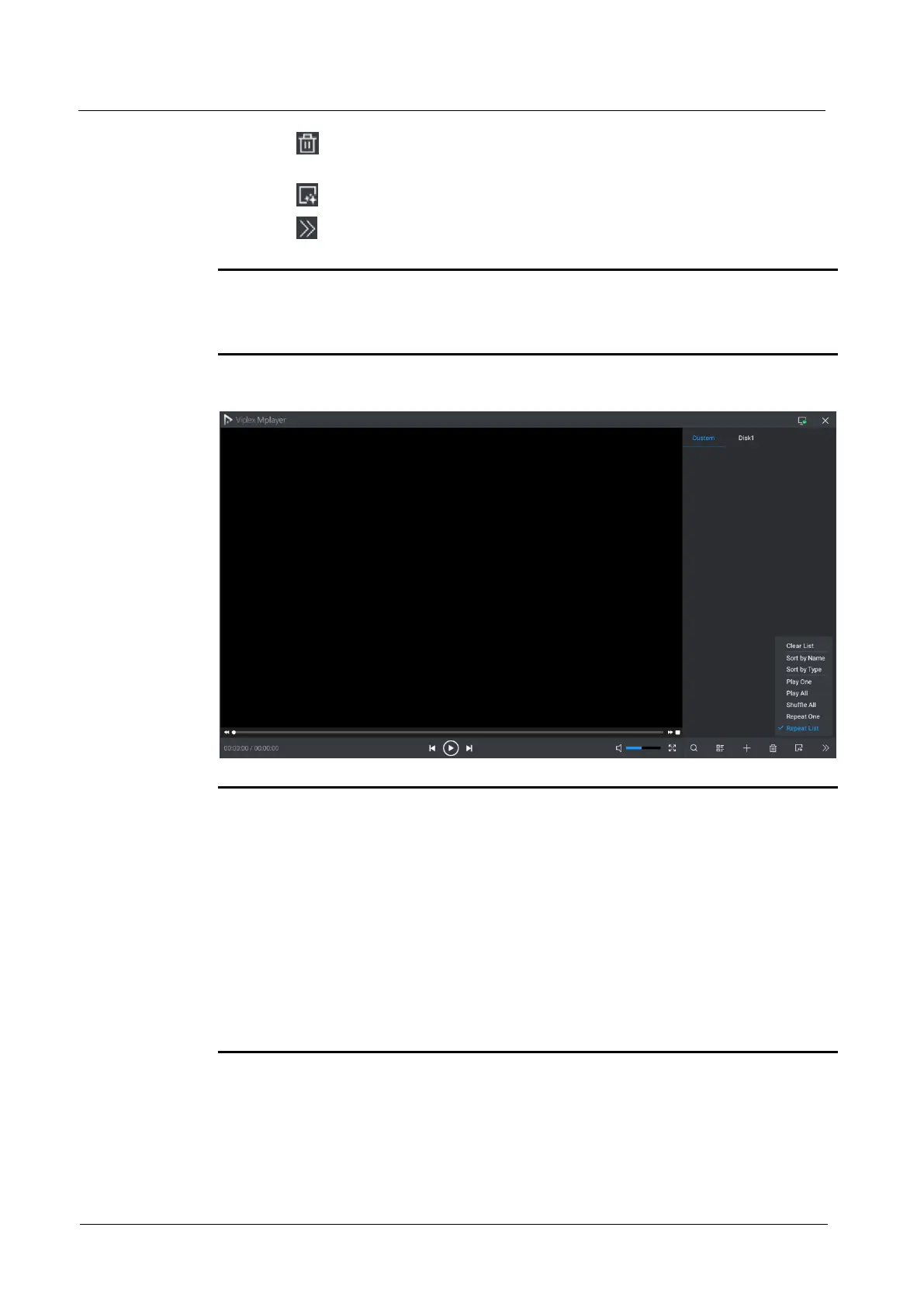
Click to show more settings where you can clear the playback list, sort the
media and set the playback order.
Note:
If the playback file is texts, the coded format of the texts must be ANSI codes.
Rotate the knob to select an item, and press the knob to confirm the selection.
Figure 4-1 More settings
Note:
When the USB drive is the input source, you can hold down USB button on the
front panel to enter the USB playback operation status, and press USB button to
exit the USB playback.
During USB playback, you can press Fn button to play the media in USB drive.
When you press the pause button (namely the WIN3 button), the content being
played on LED screen will be paused.
During USB playback, the four buttons in the CONTROL area of the front panel
will all be lighted and can be used as playback operation buttons.
When the input source is set as USB, the VX6s will automatically detect the files
that can be played in the USB drive and then automatically play the files in full
screen. Besides, the last playback settings are remembered.



 To Next Page