VX6s All-in-One Controller
User Manual
Pressing a button enters the corresponding window property
menu.
Statuses of button indicators:
On: The window is open.
Off: The window is closed.
Flashing: The window is being edited.
When a window is open, holding down the window button
can close the window.
In the USB playback mode, you can play, pause, play
previous, play next or stop current playback.
SCALE: This is a shortcut button for auto fit function. You
can press this button to make the window of the lowest
priority fit the screen.
Pressing the button switches the input source for the
window. The button indicators indicate the statuses of the
input source.
Button indicator descriptions:
Always on: The signal source is accessed.
Flashing: The input source is in use, but no signal source is
accessed.
Off: The input source is not in use and no signal source is
accessed.
TAKE: In the switcher mode, pressing the TAKE button
can switch the PVW to PGM seamlessly with the transition
effect set previously.
FN: A custom menu button. In USB playback mode, press
the button to play the media files in USB drive.
USB (Type-B): Connects to the upper computer.
USB (Type-A): A reserved port
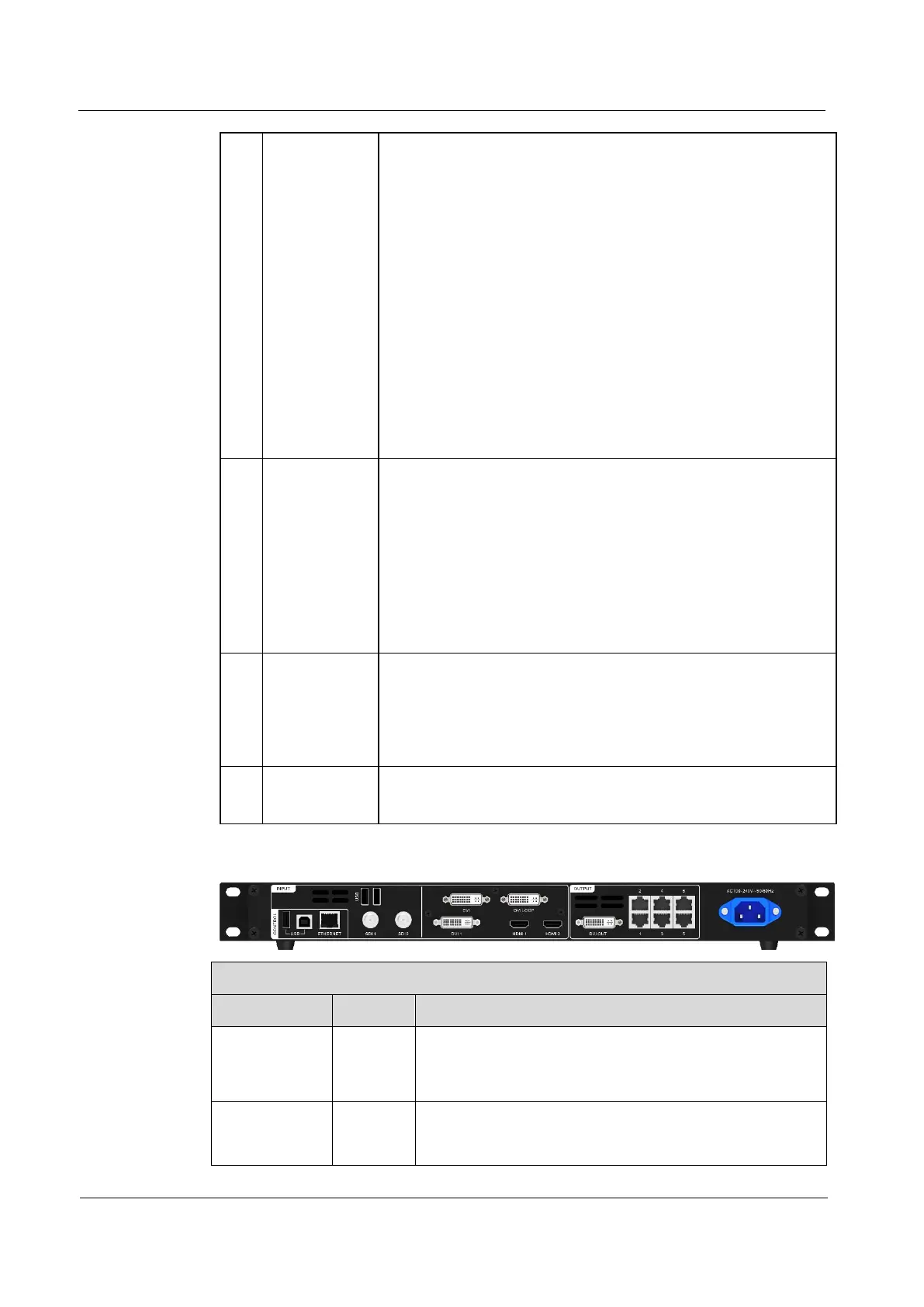
Rear Panel
Supports input resolutions up to 1920×1080@60Hz
and downward compatibility.
SDI 1 supports de-interlacing.
Connects to a mouse/keyboard, or connects to a USB
drive to play media files stored in the drive. The
supported USB drives and the formats of the media



 To Next Page