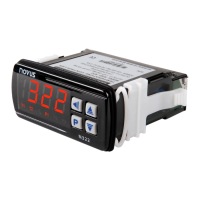
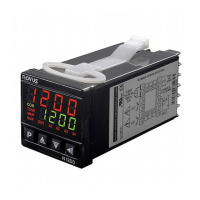
N321, N322, N323
NOVUS AUTOMATION 4/6
Within-range alarm with initial blocking.
Out-of-range alarm with initial blocking.
Parameters available only for N322 and N323
models.
Control
Inversion between Setpoints and Outputs:
SP1 acts on OUTPUT 1 relay and SP2 acts on
OUTPUT 2 relay. Factory setting.
SP1 acts on OUTPUT 2 relay and SP2 acts on
OUTPUT 1 relay.
Parameter available only for the N322 and N323
models.
Hysteresis
Control hysteresis. Parameter that applies to both
control and alarm.
Differential between the on and off point of the relay
output configured as a control output. In degrees.
Delay
Delay time for both control start and alarm.
After the controller is turned on, the output (1, 2, or 3)
will only be turned on after the time programmed in
this parameter has elapsed.
Used in large refrigeration systems to prevent the
simultaneous activation of compressors when
returning of a power failure.
Value in seconds (from 0 to 250 seconds).
Parameters available only for N322 and N323
models.
Off time
N321 Model:
Sets minimum off time for the output.
Sets minimum off time for output 1 and, when in
Control Mode (Reverse Action and Direct Action), for
outputs 2 and 3.
In either model, when turned off, the output will stay
in this condition for at least the time programmed in
this parameter.
Typically used to increase the lifespan
of the
compressor in a refrigeration system. For heating
applications, program zero.
Not valid for thermocouples.
Value in seconds (0 to 999 seconds).
on time
Sets minimum on time for the output.
Sets minimum on time for output 1 and, when in
Control Mode (Reverse Action and Direct Action), for
outputs 2 and 3.
In either model, when
, the output will stay
in this condition for at least the time programmed in
this parameter.
Typically used to increase the lifespan of the
compressor in a refrigeration system. For heating
applications, program zero.
Not valid for thermocouples.
Value in seconds (0 to 999 seconds).
Timer T1
Time interval
for alarm timing.
Defines the timed action of alarms, as shown in
Table 2.
Adjustable between 0 and 1999 seconds.
Parameter available when outputs 2 and 3 are
configured as alarms.
Parameters available only for the N323 model.
Timer T2
Time interval T2 for alarm timing.
Defines the timed action of alarms, as shown in
Table 2.
Adjustable between 0 and 1999 seconds.
Parameter available when outputs 2 and 3 are
configured as alarms.
Parameters available only for the N323 model.
Address
The controller with an RS485 serial communication
interface features the
Operation Mode level.
In this parameter, you define a communication
address for each network element. The address set
must be between 1 and 247.
6.3 LEVEL 3 – CALIBRATION LEVEL
The controller leaves the factory already calibrated. When a
recalibration is necessary, it must be performed by a specialized
professional. To access this level, press the
key for more than 3
seconds.
If you access it by accident, do not press the
and
keys.
Using the
key, simply step through all the parameters, until the
controller returns to the measurement screen.
Password
Parameter to enter a password that will allow you to
change the other parameters.
Calibration
Low
Allows to set the Offset of the measurement range.
Adjusts the lower value of the sensor measurement
range.
Calibration
High
Allows to calibrate the measure scale gain. Adjusts
the upper value of the sensor measurement range.
Cold Junction
Calibration
Allows to calibrate the Cold Junction Offset.
Only available for thermocouples.
Factory
Calibration
Allows to return to the controller original calibration.
When changing from
to
, the original calibration
will be restored, and the changes made during the
calibration will be discarded.
Protection
Allows to define the parameter levels to be protected.
Password
Change
Allows to change the current password. You can set
the password to a number between 1 and 999.
Serial Number
2
Displays the first two digits of the electronic serial
number of the controller.
Serial Number
1
Displays the middle three digits of electronic serial
number of the controller.
Serial Number
0
Displays the last three digits of the electronic serial
number of the controller.



 To Next Page