Selecting Oximeter Sensor Size
Nonin Reusable Soft Pulse Oximeter Sensor
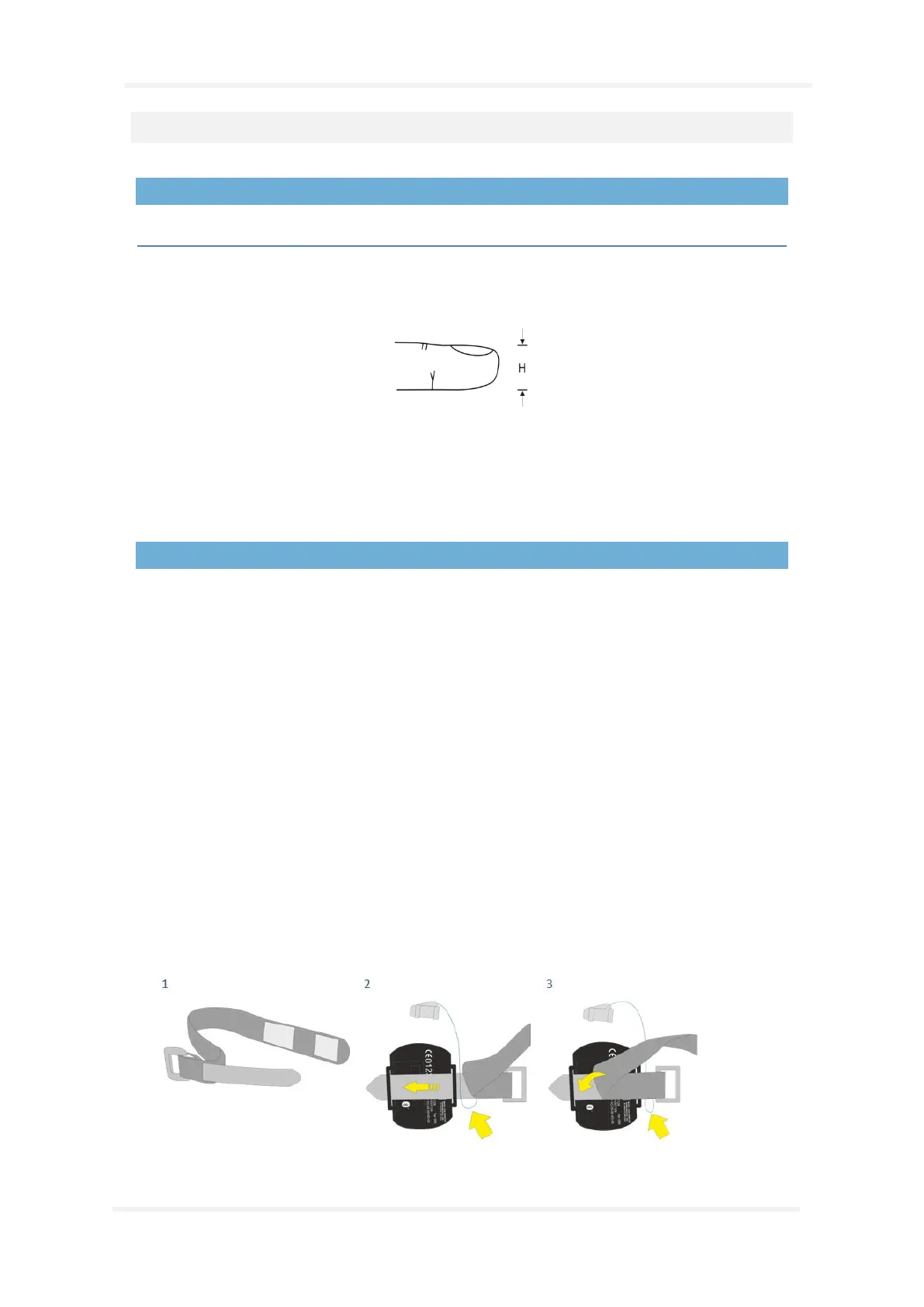
Soft sensor size recommendations are based on digit height (thickness). The digit height (H) is
measured as shown in the figure below.
For digit height from 7.5 mm (0.3 in) to 12.5 mm (0.5 in), size small should be selected.
For digit height from 10.5 mm (0.4 in) to 19.0 mm (0.75 in), size medium should be selected.
For digit height from 12.5 mm (0.5 in) to 25.5 mm (1.0 in), size large should be selected.
Attaching the Nonin 3150 Pulse Oximeter and Soft Sensor
The Nonin 3150 WristOx
2
Oximeter package accompanying the Nox A1 system kits includes:
• Model 3150, WristOx
2
Pulse Oximeter
• Model 8000SM-WO2, reusable soft sensor
• 1 wrist band
• CD – ROM of the Operator’s manual
Step 1 to Step 4
1. Separate the short end of the wristband from the long end.
2. Insert the short end in the loops on the oximeter.
3. Place the probe wire between the short and long end of the wristband. Attach the long end
to the short end to secure the wristband on the oximeter.
4. The oximeter is now securely placed on the wristband and the probe wiring is secured
between the two ends, forming a loop that prevents direct pulling of the connector.


 To Next Page