EasyManua.ls Logo

NSD VARICAM VS-5FD-1 - User Manual

Default Icon
130 pages
Print Icon
To Next Page IconTo Next Page
Loading...
ZEF004640911
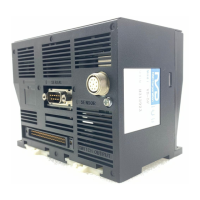
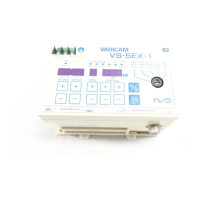
Electronic Rotary Cam Switch
VS-5F Series
(For SP1)
Specifications and Instruction Manual
VARICAM
VS-5F VS-5F-1
VS-5FD VS-5FD-1
VS-5FX VS-5FX-1
ABSOCODER
VRE-P062
VRE-P028

Questions and Answers

  • M
    Melvin DavisAug 10, 2025
    Why am I getting a memory error on my NSD Switch?
    • D
      dwaltonAug 10, 2025
      If you are getting a 'Memory error' on your NSD Switch, it indicates that the memory data has been altered, possibly due to external noise. To resolve this, perform the initialization operation. Keep in mind that this will reset your parameter and switch output settings, so you'll need to set them up again.
  • C
    Cynthia McdonaldAug 19, 2025
    Why does my NSD VARICAM VS-5FD-1 show a 'No setting error'?
    • D
      Deborah ColemanAug 19, 2025
      A 'No setting error' on your NSD Switch occurs when only the ON angle was configured for a switch output, without setting the OFF angle. To fix this, press the [CLR] or [ON / OFF] key to clear the error. Then, make sure to set the OFF angle after resetting the ON angle.
  • B
    Brittany SullivanAug 30, 2025
    What to do if my NSD VARICAM VS-5FD-1 Switch displays a sensor error?
    • L
      lopezmichelleAug 30, 2025
      If you are experiencing a sensor error with your NSD Switch, it could be due to several reasons: - The sensor connector might be disconnected or loose. - The sensor cable might be severed. If this is the case, replace the sensor cable. - There may be a failure of the ABSOCODER. In this case, replace the ABSOCODER. - There may be a failure of the VARICAM. In this case, replace the VARICAM. After resolving the cause, clear the error by pressing the [CLR] or [ON / OFF] key, or by inputting the error cancel signal from an external source.

Summary

INTRODUCTION

GENERAL SAFETY RULES

Provides safety precautions for product usage, installation, and handling.

SUMMARY

1. SUMMARY

Provides an overview of the electronic cam switch and its new functions.

2. MODEL SELECTION WHEN ORDERING

Guides users on how to select and order VARICAM and its related components.

SPECIFICATIONS

3-1. VARICAM Specifications

Details general, performance, I/O, and communication specifications for VARICAM.

3-2. ABSOCODER Specification

Covers sensor models, physical dimensions, operating conditions, and resistance.

OUTER DIMENSIONS

4-1. VARICAM Outer Dimensions

Provides dimensional drawings and mounting hole details for VARICAM units.

INSTALLATION

5-2. Installation Conditions and Precautions

Outlines environmental conditions and installation cautions for VARICAM and ABSOCODER.

WIRING AND CONNECTION

6-1. Power Supply Connection

Explains how to connect the VARICAM unit to the power supply for 100VAC and 24VDC models.

7. HOW TO USE BASIC FUNCTION

7-5. Sets the Parameter

Guides on setting essential parameters like output specifications and rotation direction.

8. HOW TO USE APPLIED FUNCTIONS (PARAMETER)

8-1-4. Parameter List

Provides a comprehensive list of parameters, their descriptions, setting ranges, and applicable models.

10. HOW TO USE APPLIED FUNCTIONS (OPERATION MODE)

10-3. Fine-adjust the Switch Output During the Operation

Describes how to fine-tune ON/OFF angles of switch outputs while the unit is operating.

MAINTENANCE

12. TROUBLE SHOOTING

Provides a list of error displays, probable causes, and procedures for resolving issues.

APPENDIX

APPENDIX 4. DATA SHEET

Provides detailed parameter lists and switch output data sheets for VARICAM models.

NSD VARICAM VS-5FD-1 Specifications

General IconGeneral
BrandNSD
ModelVARICAM VS-5FD-1
CategorySwitch
LanguageEnglish

Related product manuals