NU-SET Smart-Box Series Lockbox User Guide
17
▀ Setting Up Administration Password
➊
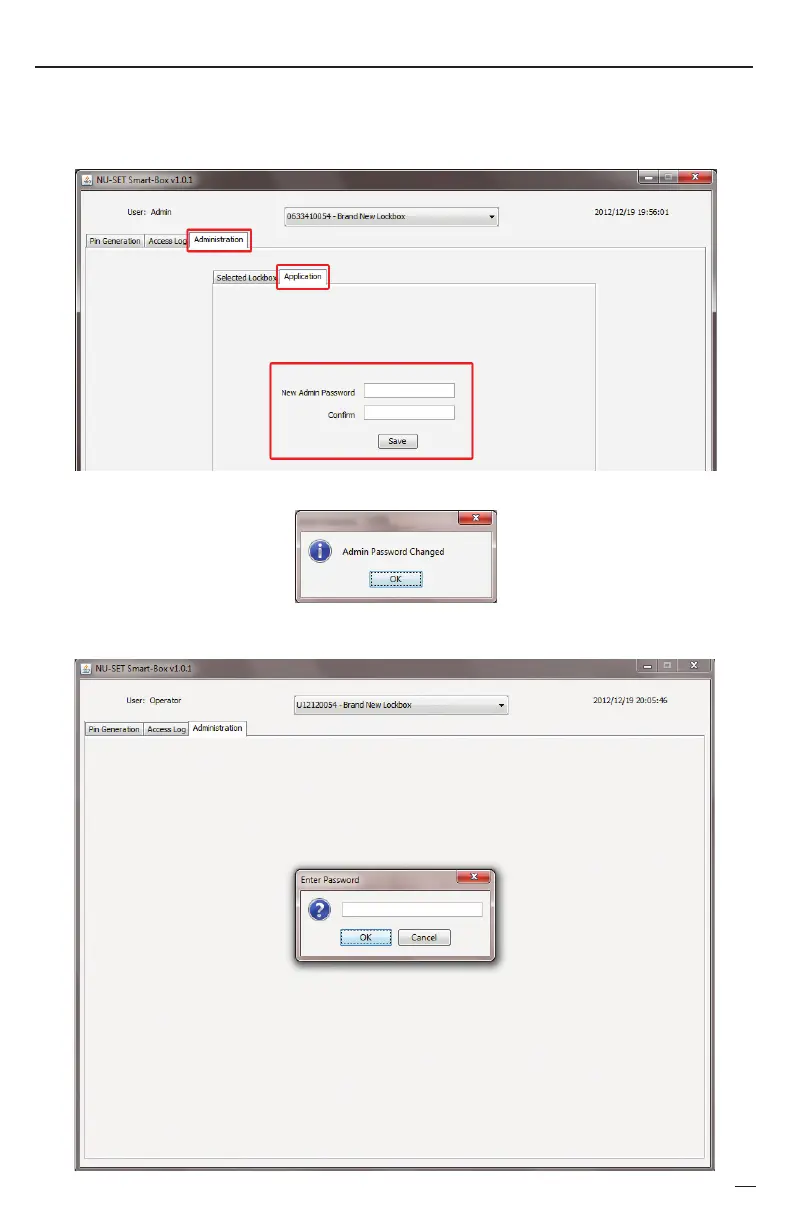
Click on the “Administration” tab, click on “Application”, and enter a password in the “New
Admin Password” field. Enter the same password in the “Confirm” field and hit [Save].
Click [OK] on the confirmation screen and restart the application.
The “Administration” tab cannot be viewed until the correct password is entered.
➋
➌


 To Next Page