NU-SET Smart-Box Series Lockbox User Guide
18
▀ Backing Up & Restoring Database
➊
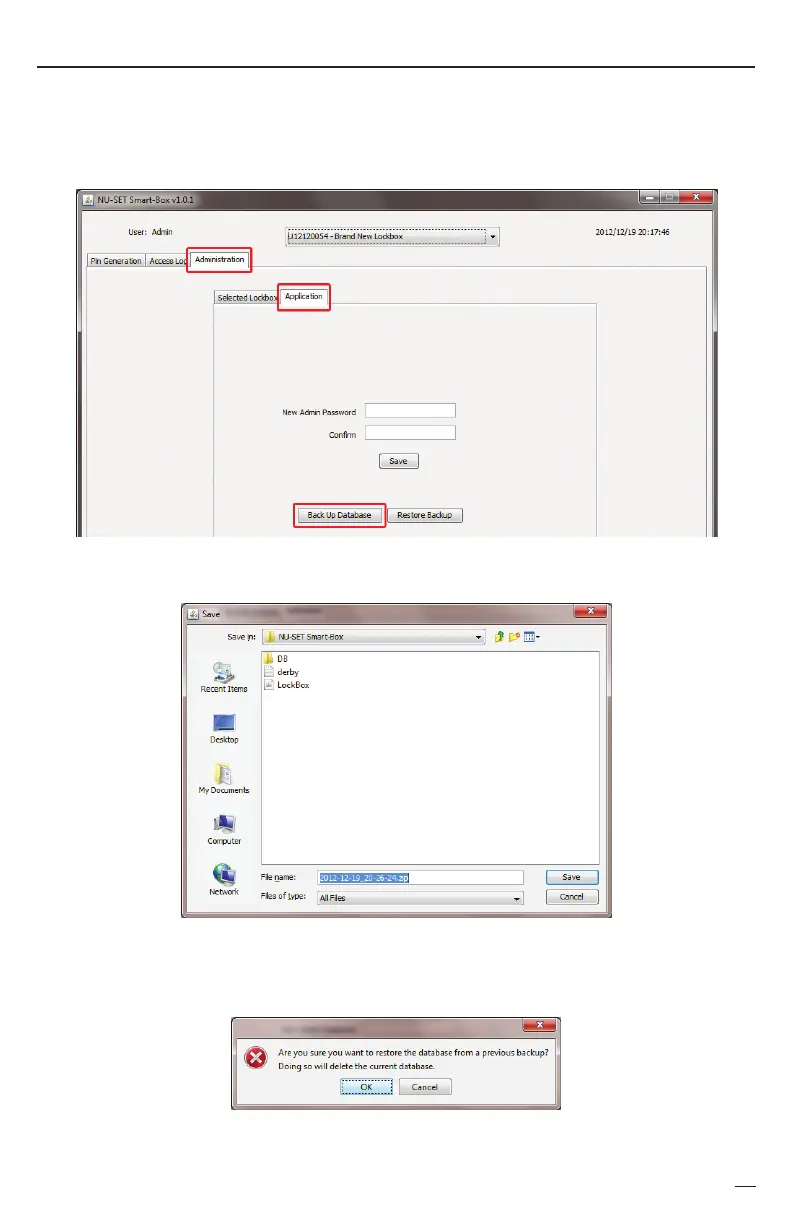
Click on the “Administration” tab, click on “Application”, and click on the [Back Up
Database] button. This feature backs up all serial numbers registered onto the application,
as well as all corresponding PINs and access log information.
Click [Save] to save the zip file onto the “NU-SET Smart-Box” folder.
➋
To restore database, click on [Restore Backup] under the “Administration”>”Applicaton” tab,
➌
and click [OK] when the below warning message pops up. Select the backup zip file in the
“NU-SET Smart-Box” folder and click [Open].


 To Next Page