NU-SET Smart-Box Series Lockbox User Guide
8
➌
Always perform the setup as a member of the Administration group.
Locate the “NU-SET Smart-Box” folder, click and drag the whole folder onto the local
drive (for Windows) or onto the Applications folder (for Mac OS X). When complete, the
Inside the folder, there is a “Smart-Box.jar” file and a “DB” directory. Always keep them
Double click on the “Smart-Box.jar” file to run the application.
▀ Saving the Application
⚠
➊
➋
following folder should be visible.
Windows: “C:\NU-SET Smart-Box”
Mac OS X: “/Applications/NU-SET Smart-Box”
together in the same folder.
If nothing happens after double clicking on the Smart-Box file, the computer may not
have Java installed. In that case, simply click on the following link, and follow the
on-screen instructions to install Java onto the computer. Relaunch the Smart-Box
application when done. (Java install files can also be found in the included USB drive).
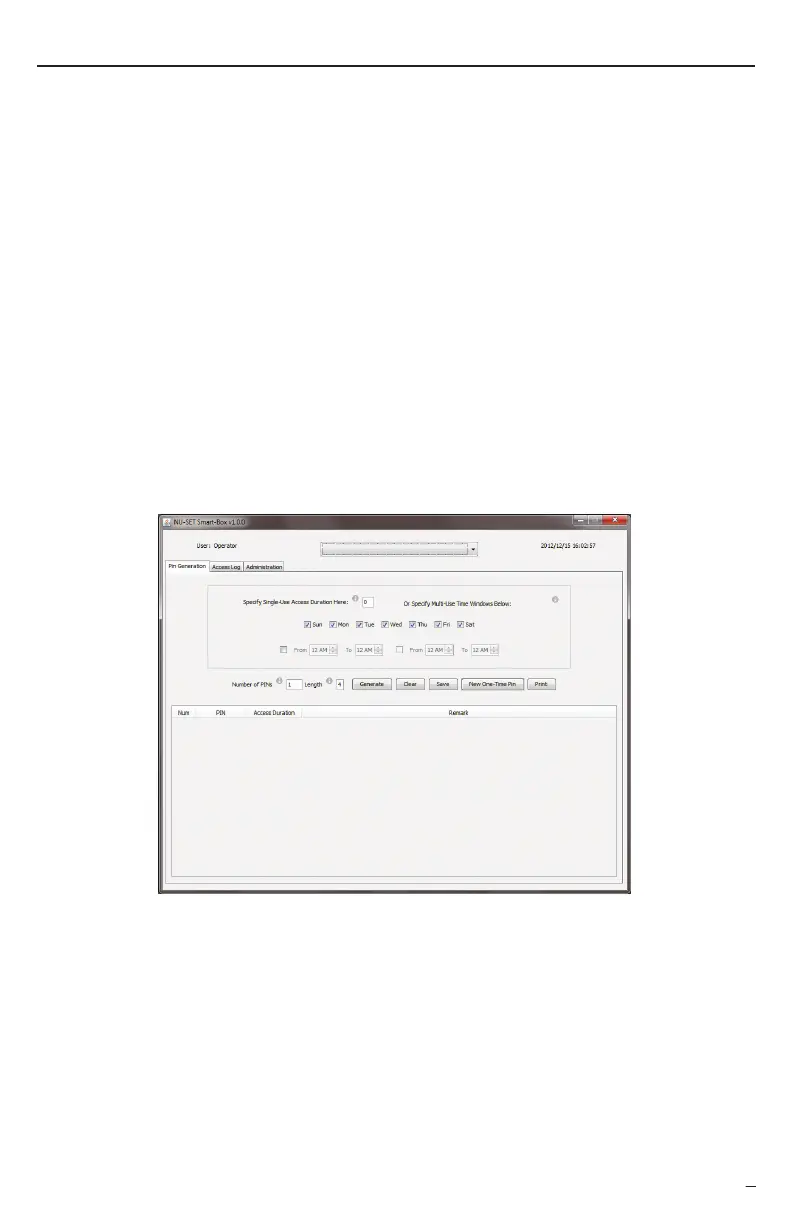
The NU-SET Smart-Box application will now appear on your screen.
http://java.com/en/download/installed.jsp?detect=jre&try=1
Setting Up the Smart-Box™
The Smart-Box is serial number specific, thus it is necessary to register each new Smart-Box
onto the application before programming. This can be done easily by first importing the
access log from the new Smart-Box.
➊
➌
Insert the included USB drive into the USB port located inside the battery compartment.
Enter the last 8-digit Report Password followed by the [Enter] button. If the password is
incorrect, the red LED will flash once with 3 short beeps. A green LED indicates that the
After the green LED, the orange LED flashes and the download process will begin.
The overall process may take up to 1 minute to complete (depending on the size of the log).
▀ Registering Smart-Box onto Application
correct password is entered.


 To Next Page