How to Use the Controller
- How to Use the Product by Mode
Massaging and
steaming functions
N5
How to Use the Product
Auto Mode
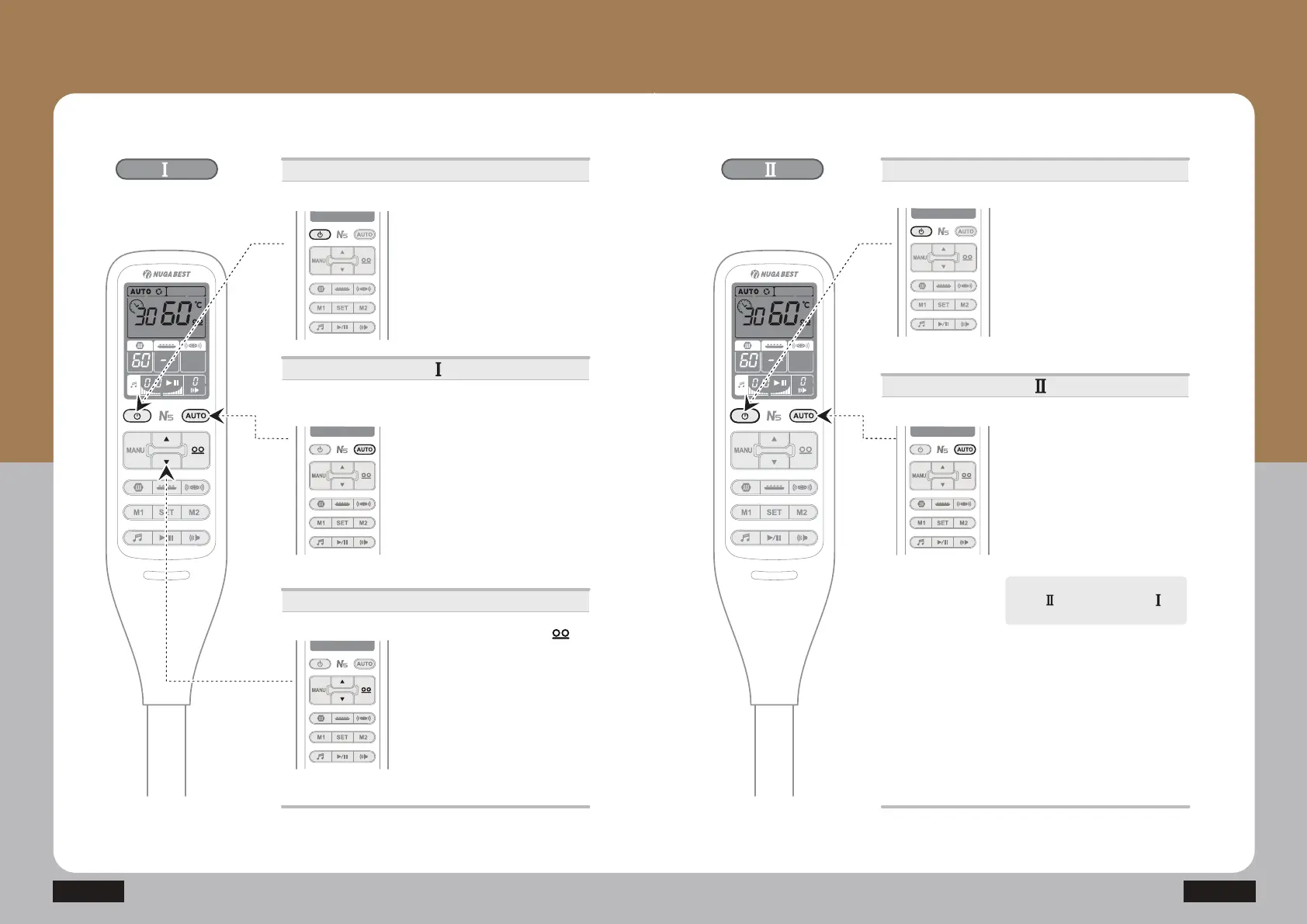
ⴘ Press the power button.
· Press the power button once : On
Press it once again : Off
Power supply
Auto Mode
ⴙ After pressing M1 or M2 button to
select time, pressing the AUTO
button causes the AUTO icon to be
turned on and start the automatic
massage.
No separate operation is necessary
in the middle as the product stops
automatically after operations.
(M1 : Approximately 32 min., M2 :47
min., and the remaining time will be
displayed as a number)
Temperature control
ྛ Press the internal projector ( )
button and adjust the temperature
E\SUHVVLQJŸRUź
(Moderate temperature: 55~60)
· Range of temperature setting for
internal projector: 40~70
(The temperature of the projector for
the cervical vertebrae is fixed at 50.)
· Temperature setting unit
40~70: Temperature setting per 1
Auto Mode
Round-trip
massage function
ⴘ Press the power button.
· Press the power button once : On
Press it once again : Off
Power supply
Auto Mode
ⴙ After pressing M1 or M2 button to
select time, pressing the AUTO
button twice in a row causes the
AUTO icon to blink and start the
automatic round-trip massage.
(M1 : Approximately 32 min., M2 : 47
min., and the remaining time will be
displayed as a number)
ྛ In the AUTO 2 mode, the internal
projector performs the massage
without stopping.
Press the AUTO button to operate
AUTO Mode during AUTO
Mode is operating.


 To Next Page