N5
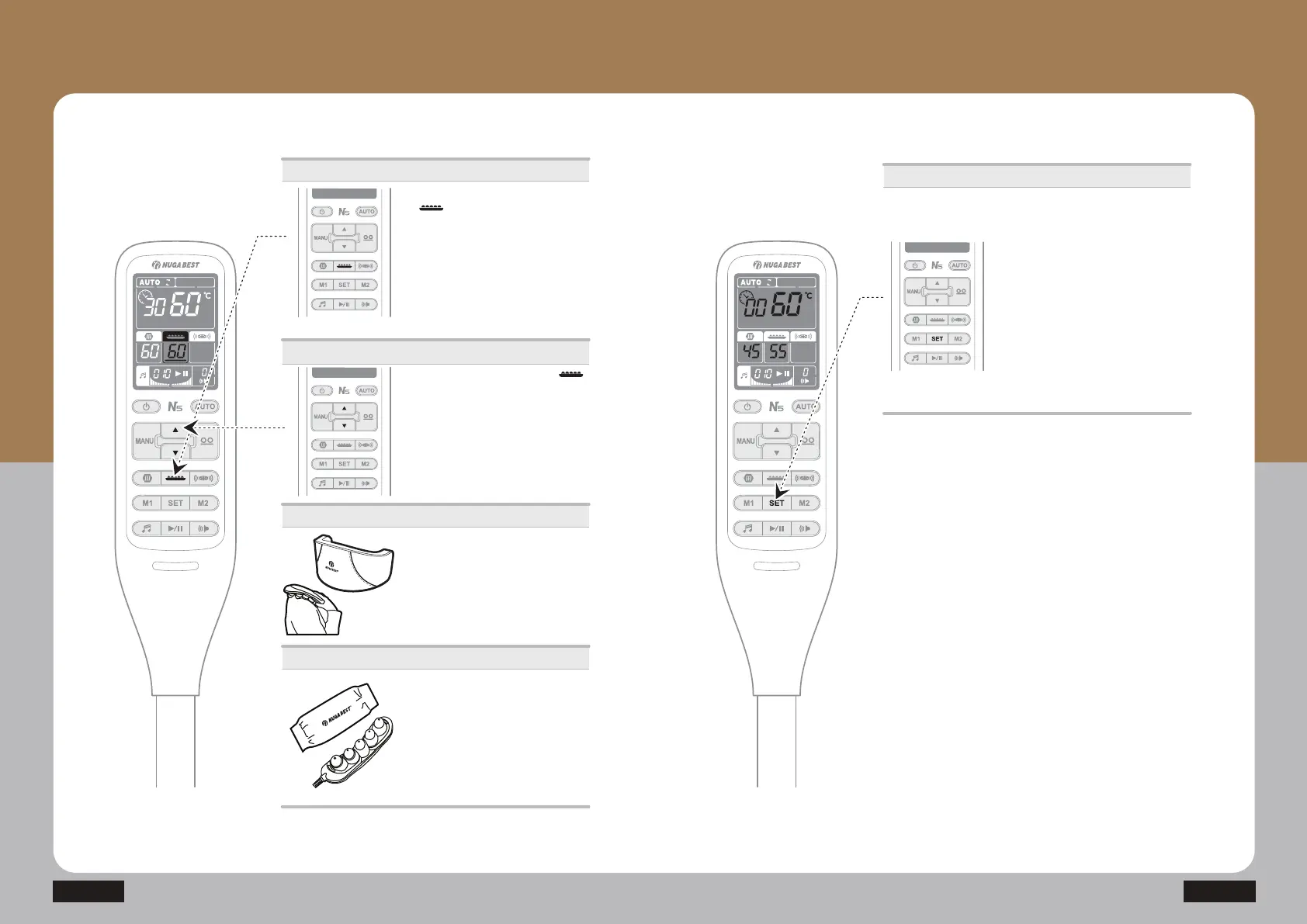
Temperature control
Applying to the specific area
* The method of using the abdominal heating pad is the
same as that of the external heating element.
ⴙ Press the external projector ( )
button and adjust the temperature by
SUHVVLQJŸRUź
(Moderate temperature: 55~60Ⳅ)
· The temperature increases until it
reaches the set temperature.
· Temperature setting unit
40~70Ⳅ: Temperature setting per 1Ⳅ
ⴘ Press SET button and hold it for
a little while, the clock icon blinks and
preheating mode is started.
It increases the temperature until the
internal projector reaches 60Ⳅ and
auxiliary heating part reaches 45Ⳅ.
(As the external projector(or Abdomen
heating pad) is connected, it becomes
preheated up to 60Ⳅ)
How to Use the Product
How to Use the Controller
- How to Use the external projector
How to Use the Controller
- Preheating function
Operations
ⴘ Press the external projector button
( ).
· Check out the connecting conditions
of the external projector
(In case there is no proper connection,
‘- -‘ will show on the display)
· Press the external projector button
once: Select
· Press and hold: On/Off
(It automatically turns off after 8 hours.)
ⴚ Apply to the desired area.
· Put the external projector cover on
before applying it.
Caution
ⴛ Ensure the external projector cover to
be covered while the external projector
is being used.
· Be aware that any direct contact from
the external projector to the skin during
the high temperature setting might
cause burns.
Preheating function


 To Next Page