Operator Panel Description
en-938821/2 3 - 5
3
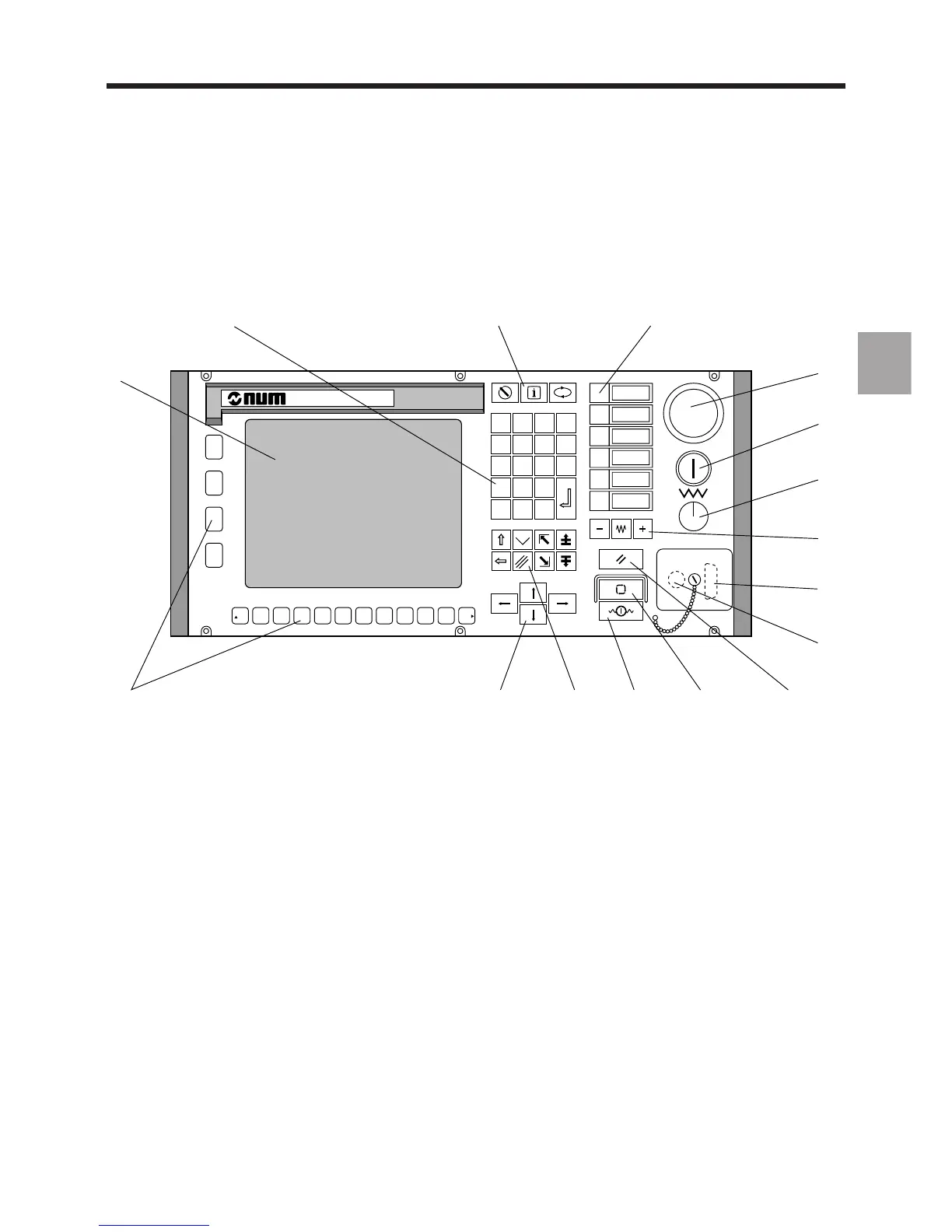
3.1.1.4 Compact Panel
The compact panel is used for production and settings. It combines the functions of a CNC panel and a machine panel.
It can be used for ISO programming and maintenance by connecting a standard 102/105-key PC keyboard.
F1 F2 F3 F4 F5 F6 F7 F8 F9 F10 F11 F12
G
%
M
E
/
F
x
H
7
N
8
S
9
T
-
=
4
X
5
Y
6
Z
+
!
1
A
2
B
3
C
D
P
0
Q
.
R
a
1
2
5
6
7
8
9
10
16
15 14 13 12 11
34
1 - 9" monochrome or 10" colour CRT 10 - DIN connector for additional standard 102/
2 - Data entry keys 105-key PC keyboard (this connector can
3 - Special keys be moved to the rear of the panel; see 3.5)
4 - Programmable keys (two functions per 11 - Reset key
key: key alone and Shift + key) ∗ 12 - Lighted CYCLE key ∗
5 - Emergency stop switch 13 - Lighted FEED STOP key ∗
6 - Lighted on/off switch 14 - Special cursor control keys and Shift key
7 - Feed rate override potentiometer 15 - Cursor control keys
8 - Axis jogs ∗ 16 - Function keys
9 - Serial port
∗ These machine keys remain active when the screen saver is on (the other keys merely turn the screen back on).



 To Next Page