4 - 16 en-938821/2
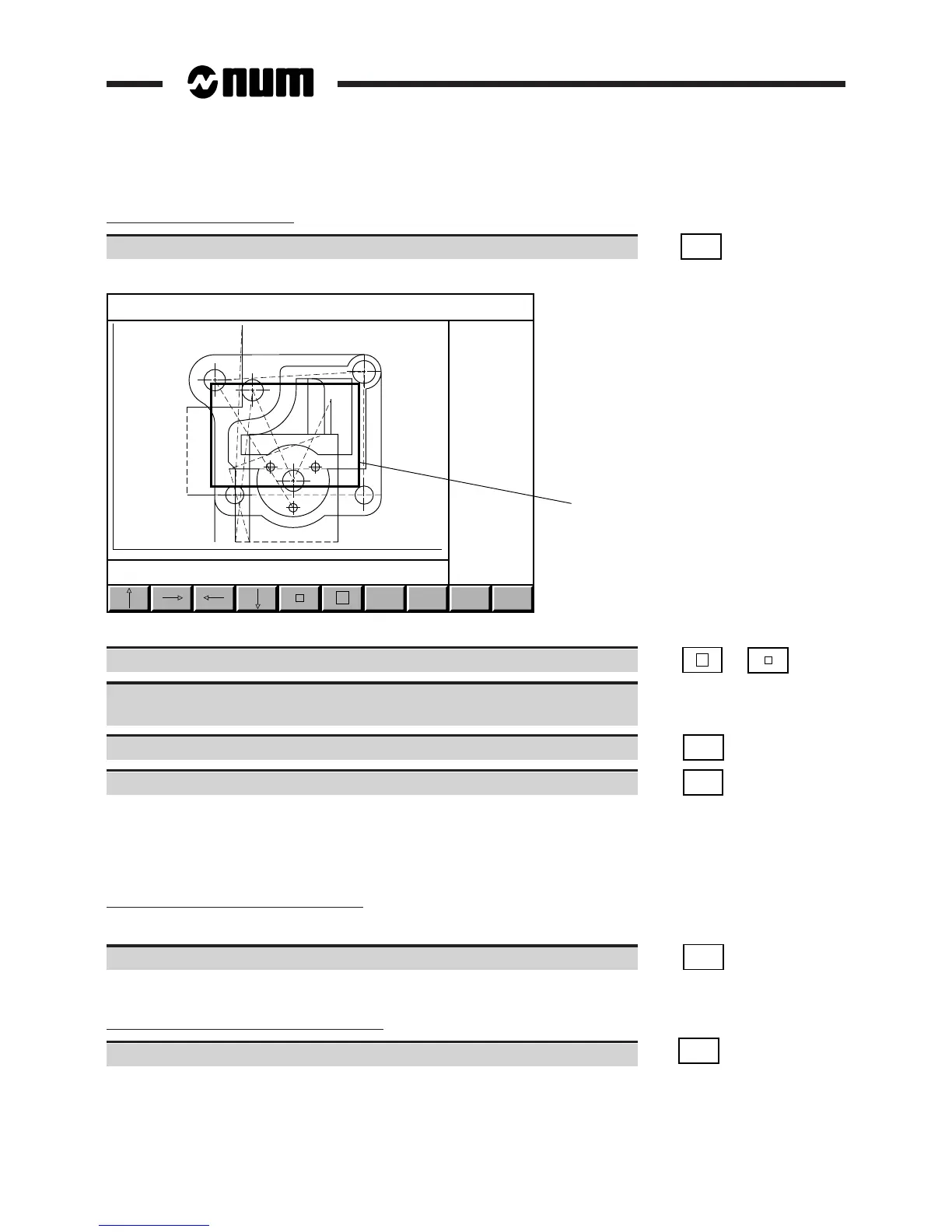
Enlargement of a trace detail
Select the ZOOM mode ☞
ZOOM
AREA
Display of the tool path trace in ZOOM mode:
ZOOM
IN
X : -61.202 162.202 Y + 25.4 - 145.0
1
SAVE
ZOOM
FULL
VIEW
Y
X
EXIT
Prog %20
1 - ZOOM window
Change the window to the size required for the detail to be displayed. ☞ or
Move the window over the area to be enlarged with the softkeys or keyboard
keys.
Zoom in. ☞
ZOOM
IN
Validate the zoom. ☞
SAVE
ZOOM
Display of the enlarged tool path trace.
Several consecutive enlargements can be made.
Exit from the procedure
Cancellation of the current enlargement
During the enlargement procedure (before validation), it is possible to return to the initial scaling factor:
Cancel the ZOOM mode. ☞
FULL
VIEW
Return to initial tool path trace.
Return to graphic display parameters page
Return to the graphic display parameters page. ☞
EXIT
Return to the graphic display parameters page and display of minimum and maximum plane dimensions.



 To Next Page