13
February 2017
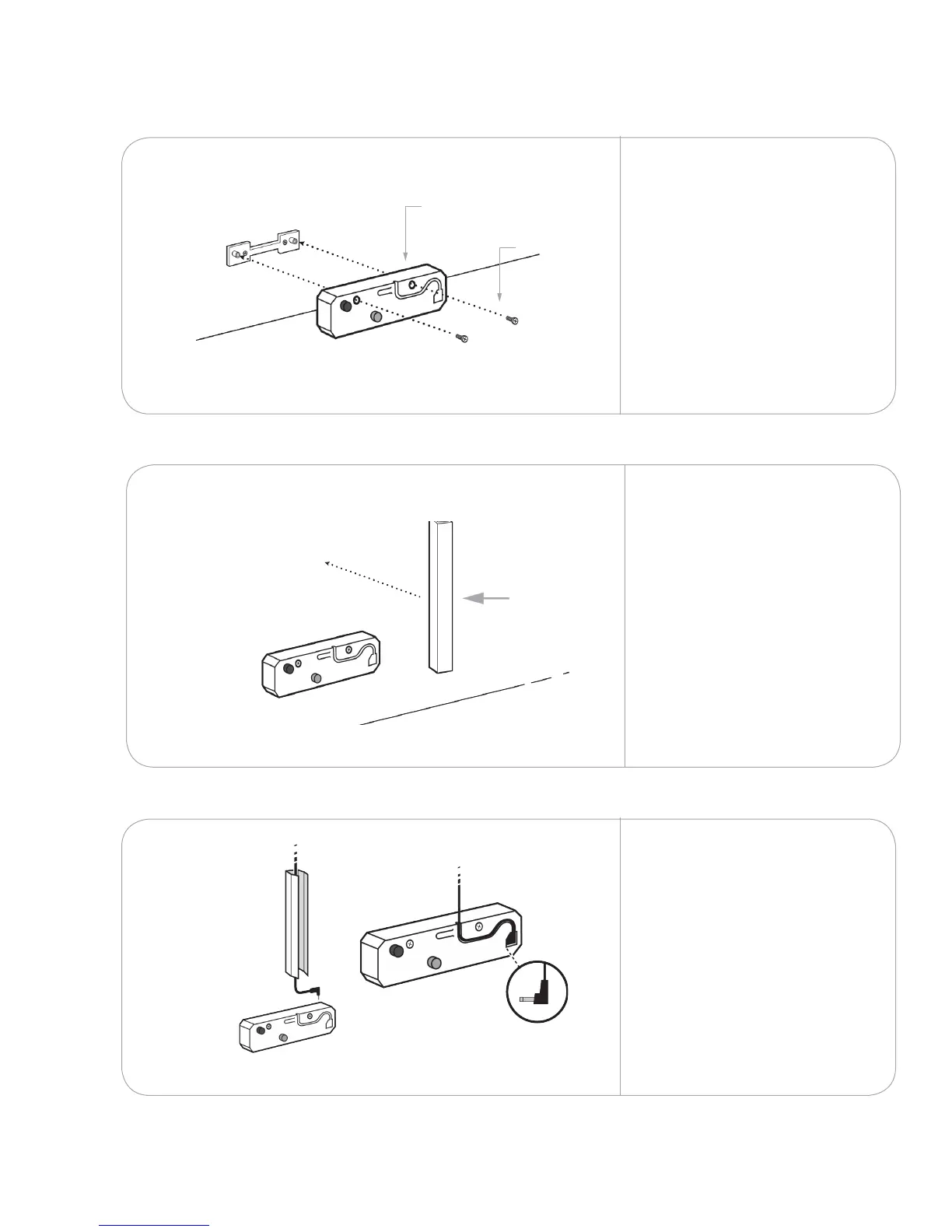
Test-t the wire cover to
conceal the touch module
power cord. Trim the cover if
necessary.
Remove the adhesive liner to
attach the cover to the wall.
Remove the touch module
cover.
Attach the unit to the
bracket using the two screws
provided. Ensure the unit is
seated securely against the
wall.
NOTE: If you are installing a
Da-Lite screen, follow the
instructions provided with
the screen to install the touch
module(s).
3.2
J
B
Install the touch module
3.2.1
3.2.2
Lay the touch module power
cord in the wire cover and
plug it into the touch module.
Leave the touch module cover
o.
Repeat with any remaining
touch modules.
3.2.3
X 2
K



 To Next Page