More Controls
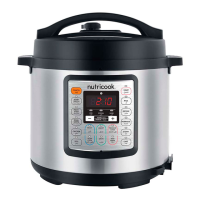
KEEP WARM/CANCEL
Press the Keep Warm/Cancel button to stop Smart Program at any
time. Your cooker will return to Standby mode and LCD display shows
OFF. When cooker is in standby mode, pressing this button will activate
the Keep Warm function.
DELAY
Your Smart Pot has a Delay function to postpone cooking for up to
24 hours. Delay function does not apply to the Yogurt and Sauté
functions. To activate this function, press Delay button and select a
smart program. If desired, adjust the pressure level, cooking mode
and time for the selected function according to your recipe.
Note: If no smart program is selected after pressing Delay button, the
cooker automatically goes to standby mode. Display shows OFF.
The default delay time is 30 minutes. To adjust, press the Delay button
repeatedly (time will adjust in 30 minutes interval). The time you are
setting is the number of hours and minutes before cooking starts.
SOUND OFF
When the cooker is in standby mode, press and hold the + key until
display indicates ( )
Note: Cooker will still beep for all Error codes.
SOUND ON
When the cooker is in standby mode, press and hold the + key until
display indicates ( )
How to use.
34


 To Next Page