12
WIDGETS:
Widgets are special add-ons that come with many apps. Some are
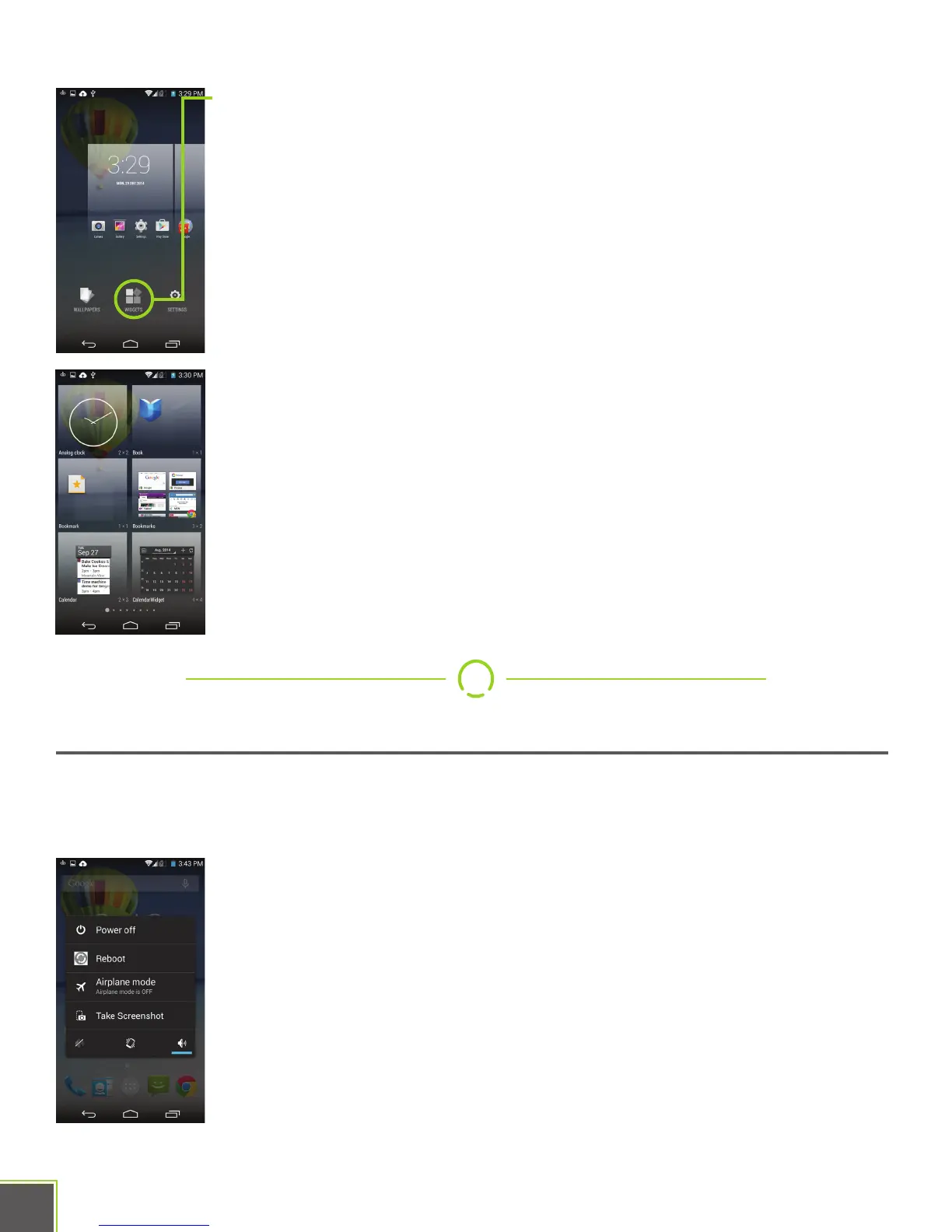
also built into Android itself. To access available widgets, Long press
anywhere on the Home Screen open space, then tap “WIDGETS.”
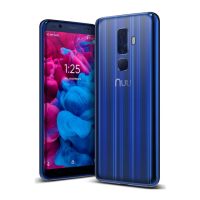
Like regular apps, just long-press and then drag-n-drop to place the
widget. Note that each widget as a size listing underneath its picture,
and this tells you how many rows and columns of icons it will take up
when placed. A 4x3 widget, for example, is 4 icons across and 2 high,
and as a result takes up the entire width of a Home screen.
Widgets can be removed from your Home screen in the same manner
as app icons.
Power On/Off, Wake Up, Unlock, Go To Sleep
Your phone can power on and power off fully, as discussed on the SIM card installation
page. Here are those instructions again for reference.
ON: Hold down the power button for a few seconds.
(This is sometimes known as a “long-press”, see page 5)
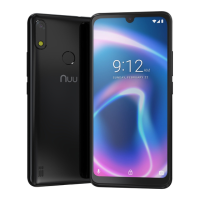
Off: Hold down the power button for a few seconds. When you see
the menu pop up, tap the “Power Off” option. Confirm the choice to
power off the phone.


 To Next Page