24
Music
Your NUU Mobile smartphone comes with a custom music app which you can find in All
Apps, titled “Music”. Once you load it up, you’ll see all the music you’ve added to
your phone or placed on your SD card.
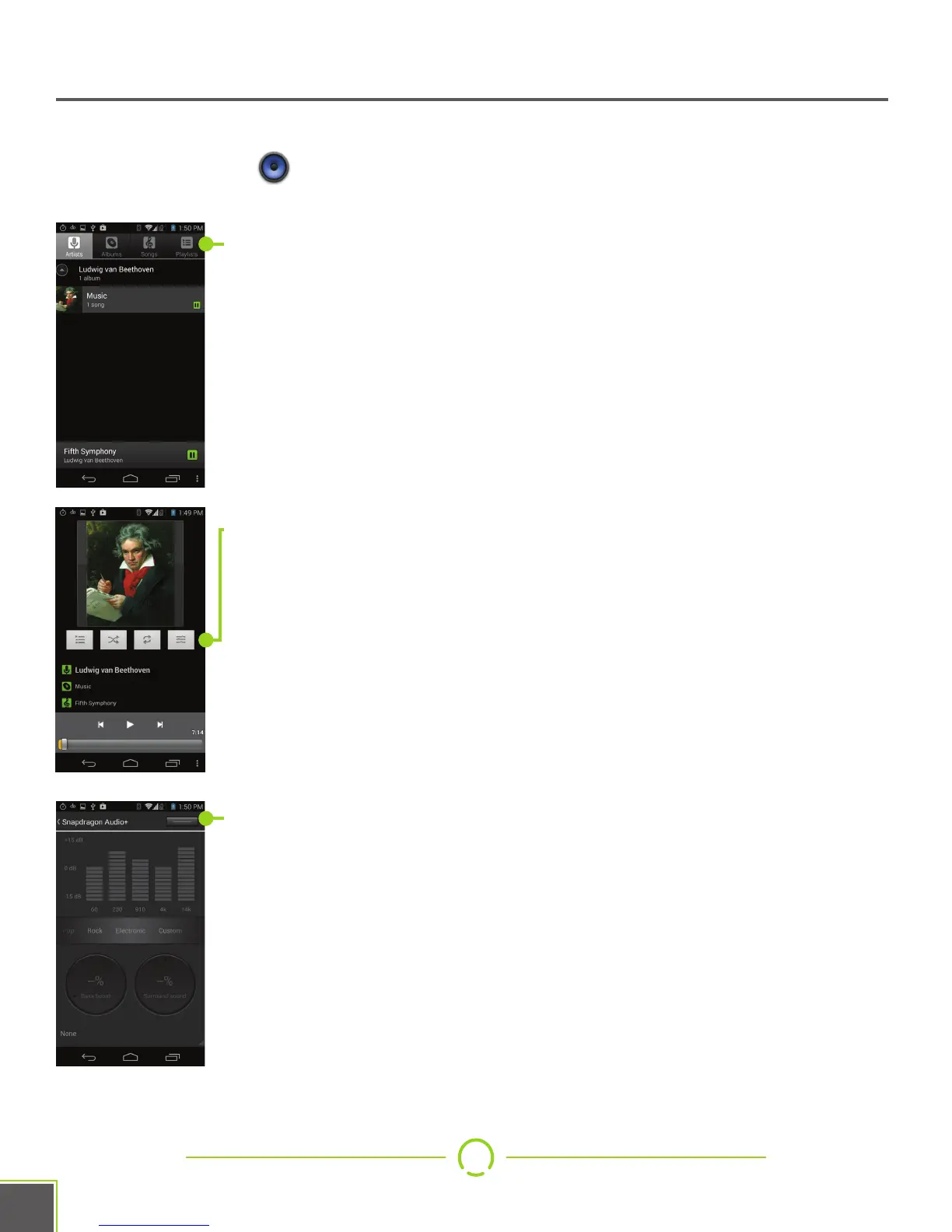
You can use the buttons across the top to select what to play, by
Artist, Album, individual songs, or playlists you’ve created. The song
currently playing is listed across the bottom of this screen.
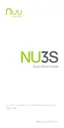
During playback, you can use the buttons under the album cover to
select new songs, change the shuffle mode, change the repeat mode,
and access the custom Snapdragon equalizer.
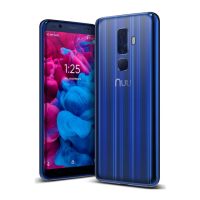
Use the button in the upper right to toggle the equalizer on or off.
Slide the list of music genres left and right to change through pre-sets.
Use the Custom pre-set to set your own values. When you plug in
headphones, you will also be able to modify the bass boost and
surround-sound settings via the dials at the bottom.


 To Next Page