19
Clock
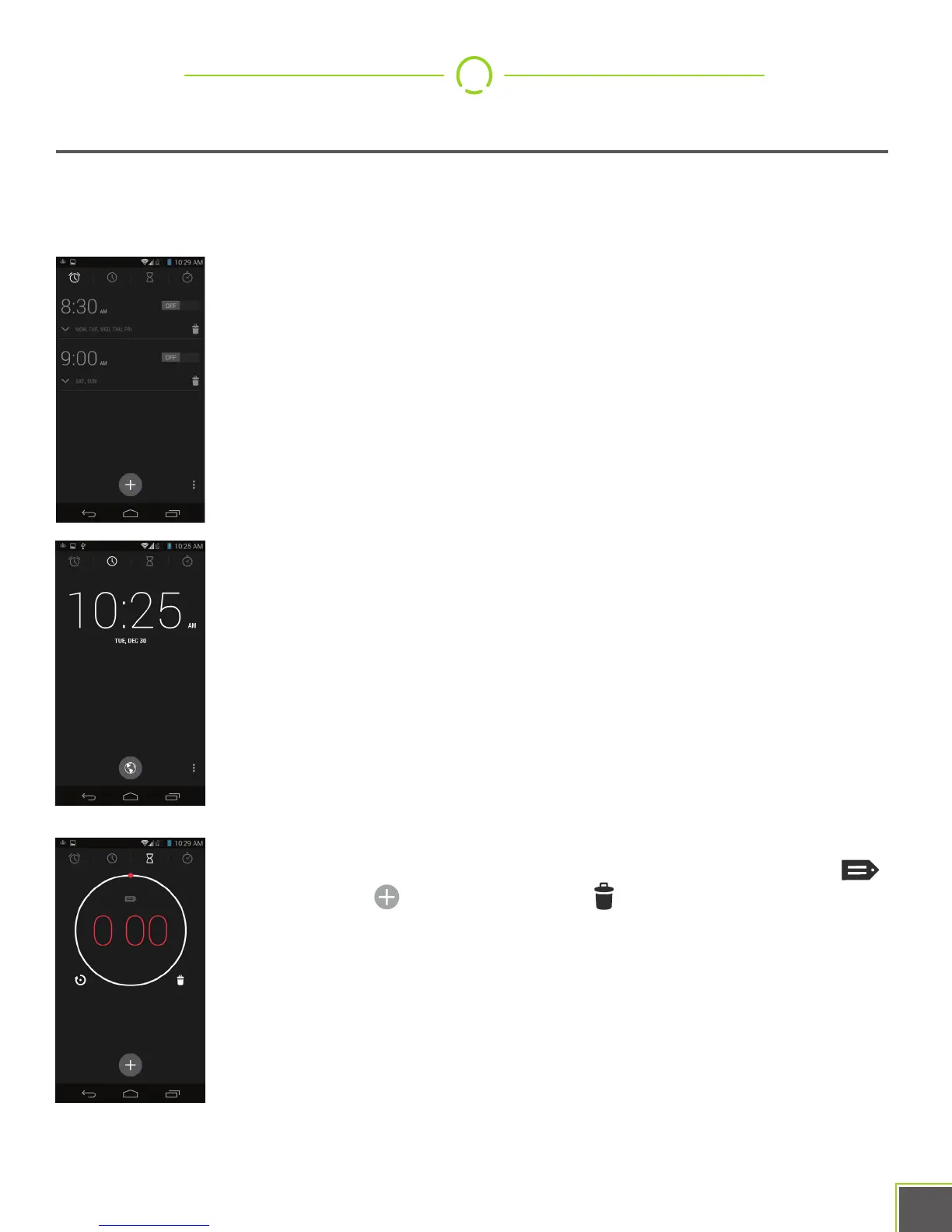
The Clock app has many features to go with its world clock abilities. Set alarms, use it as
a stopwatch, and even turn it into one (or more!) countdown timers.
Alarm: Tap the New Alarm//PLUS button to add an alarm. From here
you can choose the time of day, the sound the alarm makes
(including music), on what days it repeats, and its name.
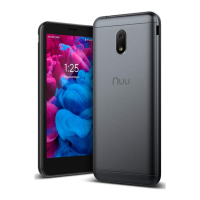
World Clock: By default, this displays your current time. You can add
other world clocks by using the world button and then selecting one or
more cities. Use the Back arrow to get out of the city selection process.
Pressing the Menu button lets you configure the exact behavior of the
clock.
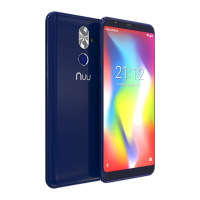
Countdown Timer: Use the keypad to enter in a length of time, then
tap “Start”. Once you’ve started a timer, you can change its label
extend the time , stop it, or delete it . You can also use the +
button to add more timers, which can run simultaneously if you like.


 To Next Page