20
6.2.2. SET BUTTON
When the ambient temperature is cold in winter, it is suggested to set the door
temperature difference value as +2.0.
6.2.3. GRAPHIC SCREEN BUTTON
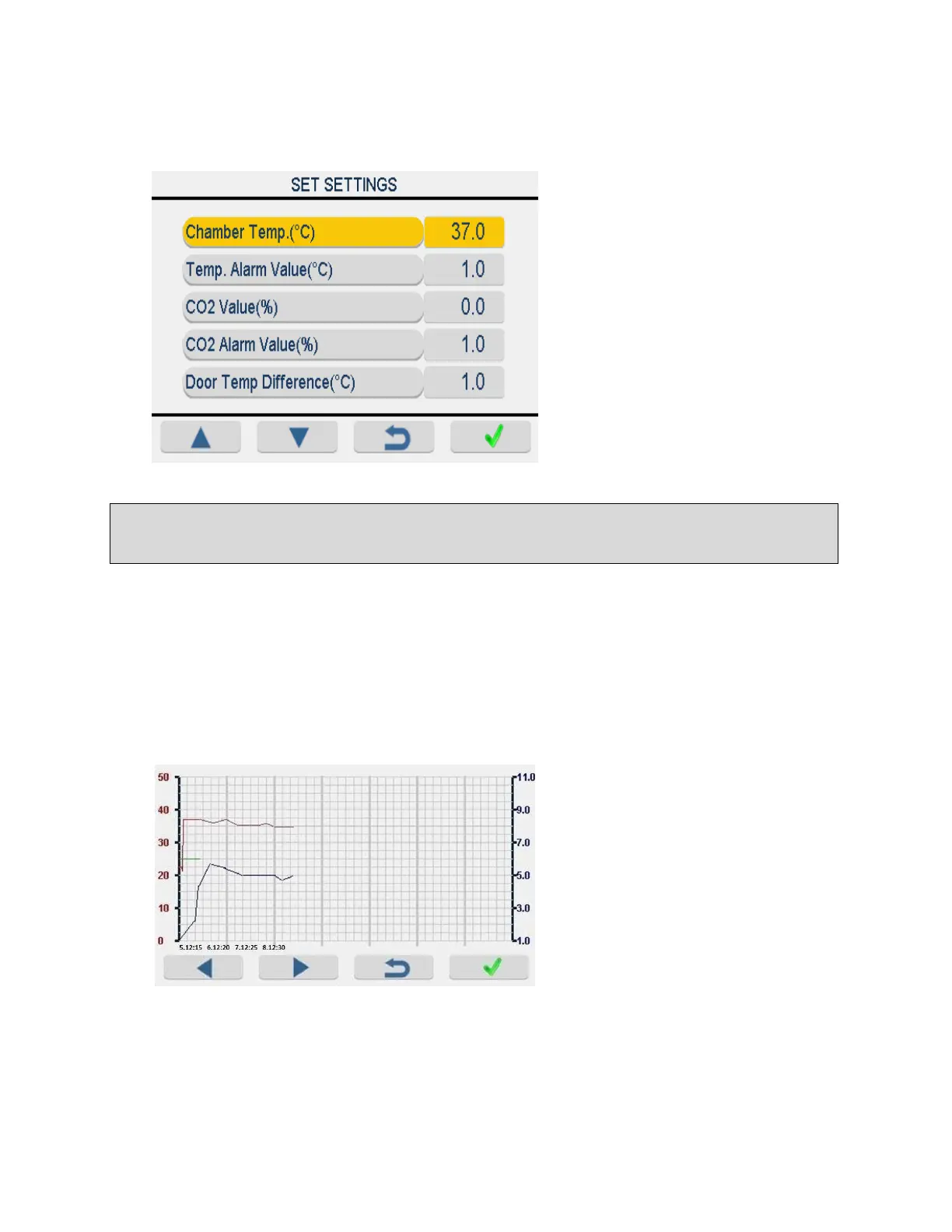
Values of chamber temperature,
temperature alarm, CO2, CO2 alarm
and door temperature difference
are shown in this screen. Pressing
up and down button you can
increase or decrease value of
parameter after choosing with
ENTER (F4) button.
Chamber temperature and CO2
value are shown graphical and two
different adjustable scales with
respect to time. Temperature and
CO2 scales can be adjusted by
pushing select button.



 To Next Page