31
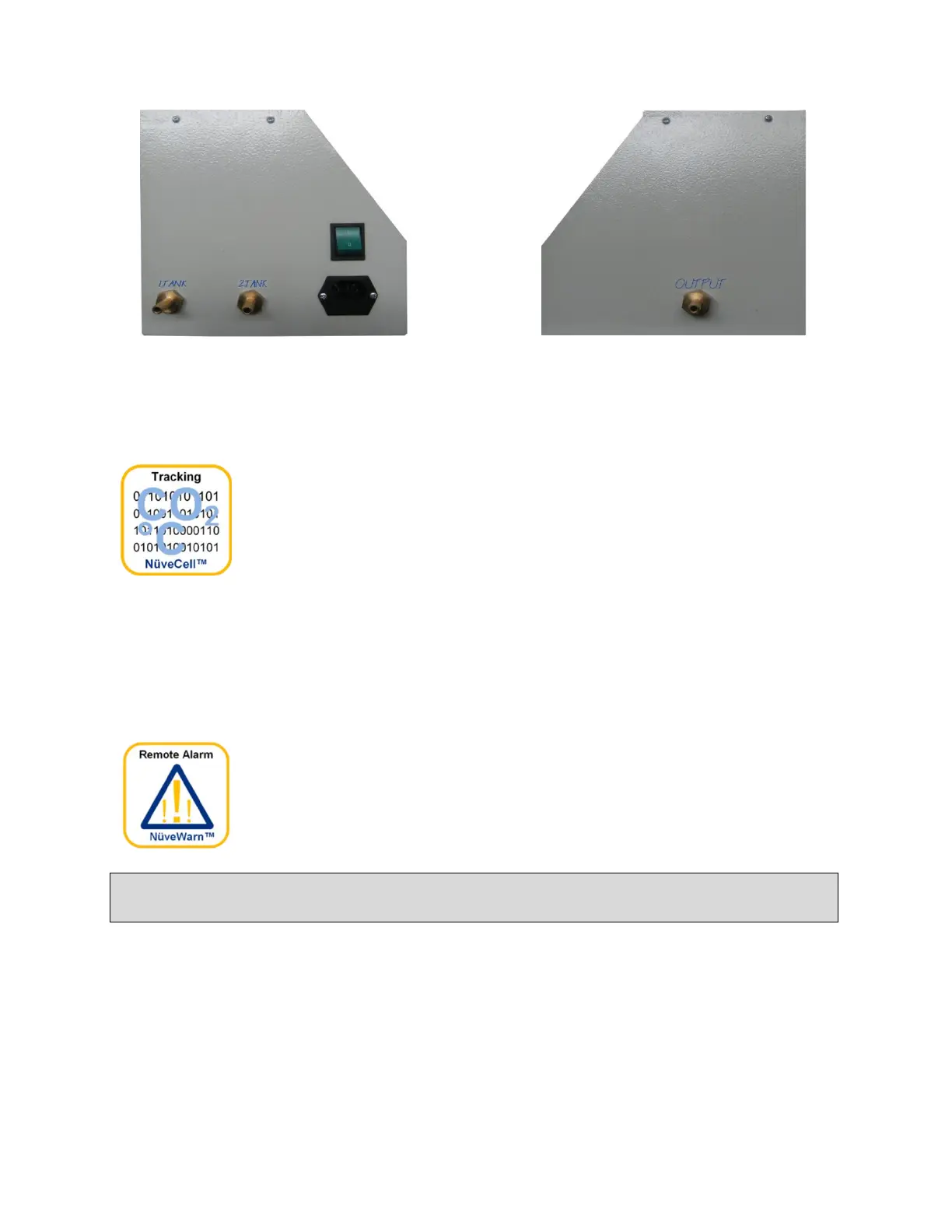
Please connect the CO
2
tank’s
hoses to their place as it is
shown in the picture above.
Please connect this output to
the CO2 input of the device
which is located at the back
side of the incubator.
10.3. NuveCell™ SOFTWARE
NuveCell™ software provides user monitoring and saving operation,
temperature and CO
2
values on computer. Refer Section 6.9.2 for
more detailed information regarding to usage of NuveCell™.
10.4. Ø25 mm CABLE INPUT
By means of this Ø25 mm cable input, external measurement could be done. Also, an
instrument such as magnetic stirrer can be operated inside. This port is factory mounted
option. The port should be sealed well after the cable is passed through against CO
2
leakage.
10.5. NuveWarn™ REMOTE ALARM SYSTEM
EC 160 CO
2
Incubator is supplied with a standard remote alarm
feature. This feature can be used only if an optional remote alarm kit
is connected to the device. For all the alarm situations (open door,
chamber temperature is out of range from set value, broken
temperature sensor etc.) the remote alarm will be activated.
To turn off the acoustic alarm, push to the HELP key at first and then push to
the MUTE key on the display.



 To Next Page