11
09-“End of The Program” Lamp
It is a warning lamp that indicates that the running program is finished.
10-Usb Lamp
This lamp is on when connected to a USB external memory.
The device supports up to 8 GB of external memory.
11-Back / Alarm Mute Button
This button is used to silence audible alarms in case of error and cancel the changes in the
menu.
12-Shaking Speed Display
Shaking speed unit is displayed as RPM.
13-Shaking Process Start/Stop Key
The key is used to start the set program and stop the running program.
14-Shaking Speed Value Increase Key
The keys are used to increase the shaking speed value on the display while adjusting the
shaking speed.
15-Shaking Speed Value Decrease Key
The keys are used to decrease the shaking speed value on the display while adjusting the
shaking speed.
5.8 PRIOR TO OPERATION
5.8.1 Filling Liquid
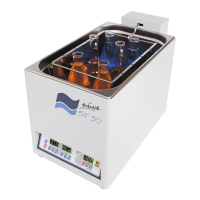
Fill the tank with distilled water or liquid and put the samples up to the maximum line
MAX (see Figure 3).
Do not run the device unless distilled water or liquid is fılled up to max line.
The distilled water or liquid level above the max level may cause unexpected
problems.
Make sure that the filled liquid is not flammable or explosive at the operation
temperature.


 To Next Page