Nuvoton Nu-Link Debug Adapter User Manual
Oct 28, 2014 - 23 - Revision V1.01
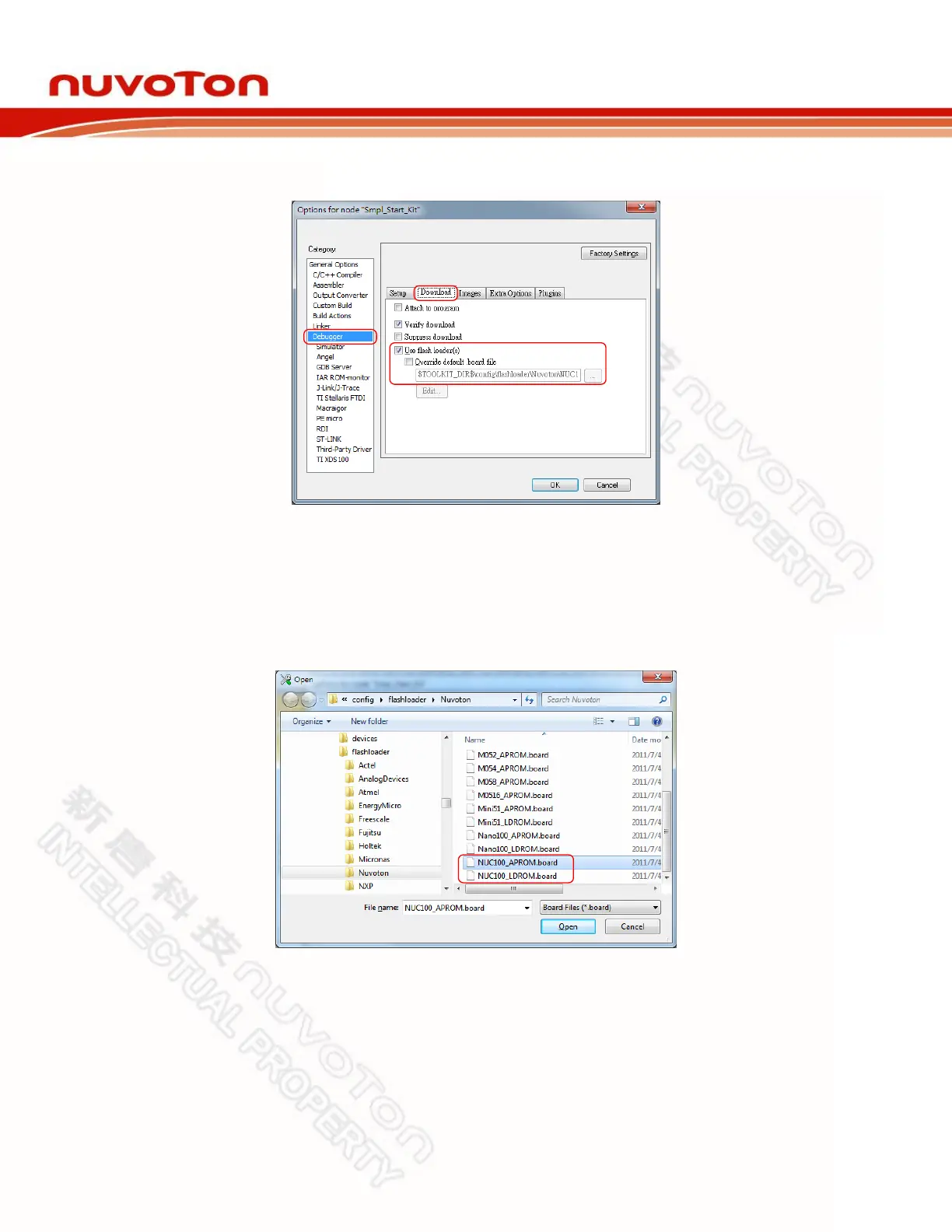
Step: 5: In the Download tab of the Debugger page, make sure that the Use flash loader(s) option
is selected, as shown in Figure 4-16.
Figure 4-16 IAR EWARM Programming Settings
Step: 6: In the Download tab of the Debugger page, select the Override default .board file option if
you want the firmware to be downloaded to APROM or LDROM, and then specify the
NUC100_APROM.board or NUC100_LDROM.board file (NUC100 series is used in this
case). If no file is founded, specify the following path “$TOOLKIT_DIR$\config\flashloader\
Nuvoton\”, as shown in Figure 4-17.
Figure 4-17 Select.board File for IAR EWARM



 To Next Page