Nuvoton Nu-Link Debug Adapter User Manual
Oct 28, 2014 - 26 - Revision V1.01
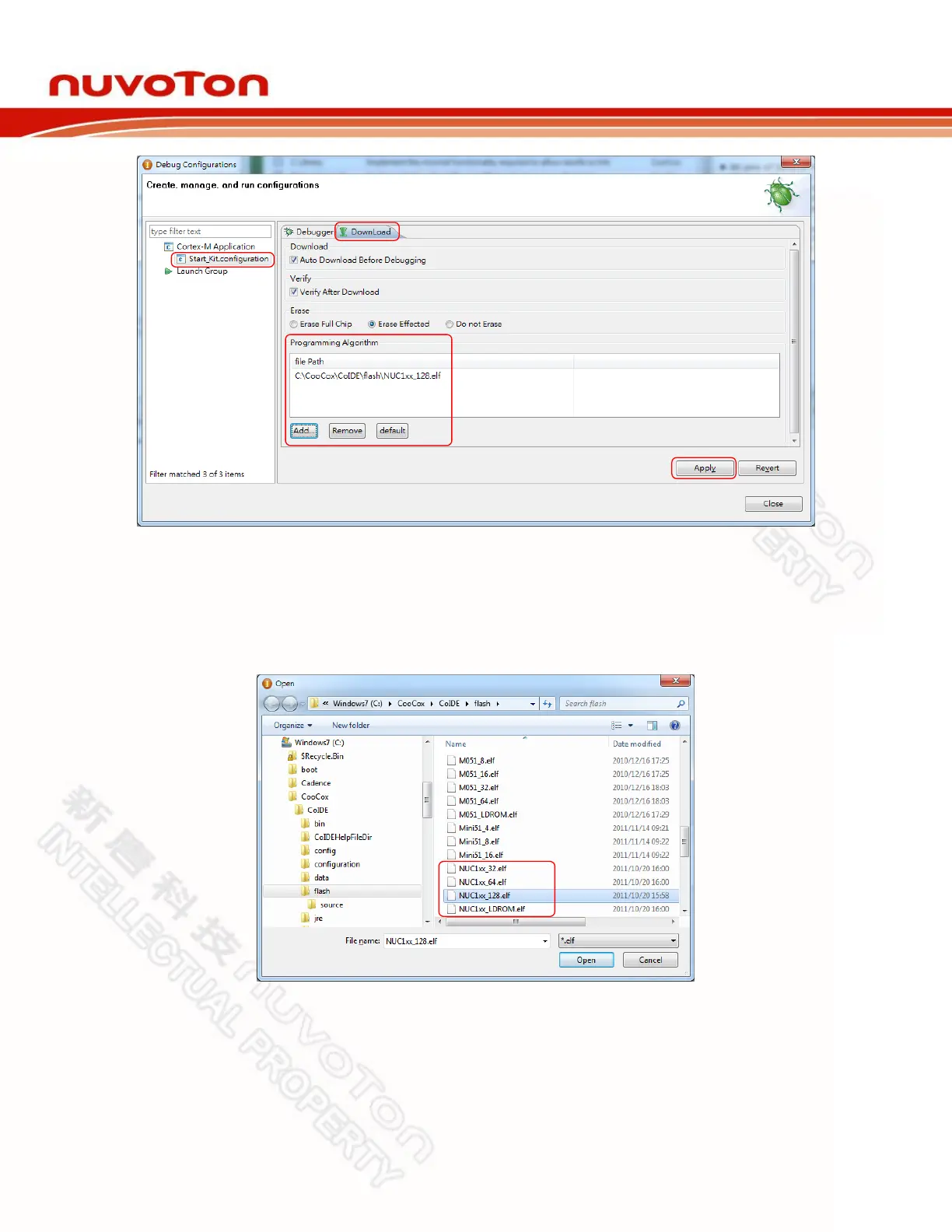
Figure 4-21 CooCox CoIDE Programming Settings
Step: 5: To ensure the firmware will be downloaded to APROM or LDROM, select NUC1xx_128.elf or
NUC1xx_LDROM.elf file (NUC100 series is used in this case) as shown in Figure 4-22; “32,
64, or 128” in the file name means the capacity of APROM. If no specific file is founded,
specify the following path “C:\CooCox\CoIDE\flash\”.
Figure 4-22 Set the Programming Algorithm File for CooCox CoIDE
Step 6: At last, click Apply to save the settings, as shown in Figure 4-21.



 To Next Page