12
Owner’s Manual
OPERATING INSTRUCTIONS
1 1
2
3
4
5
6
7
8
9
10
11 12
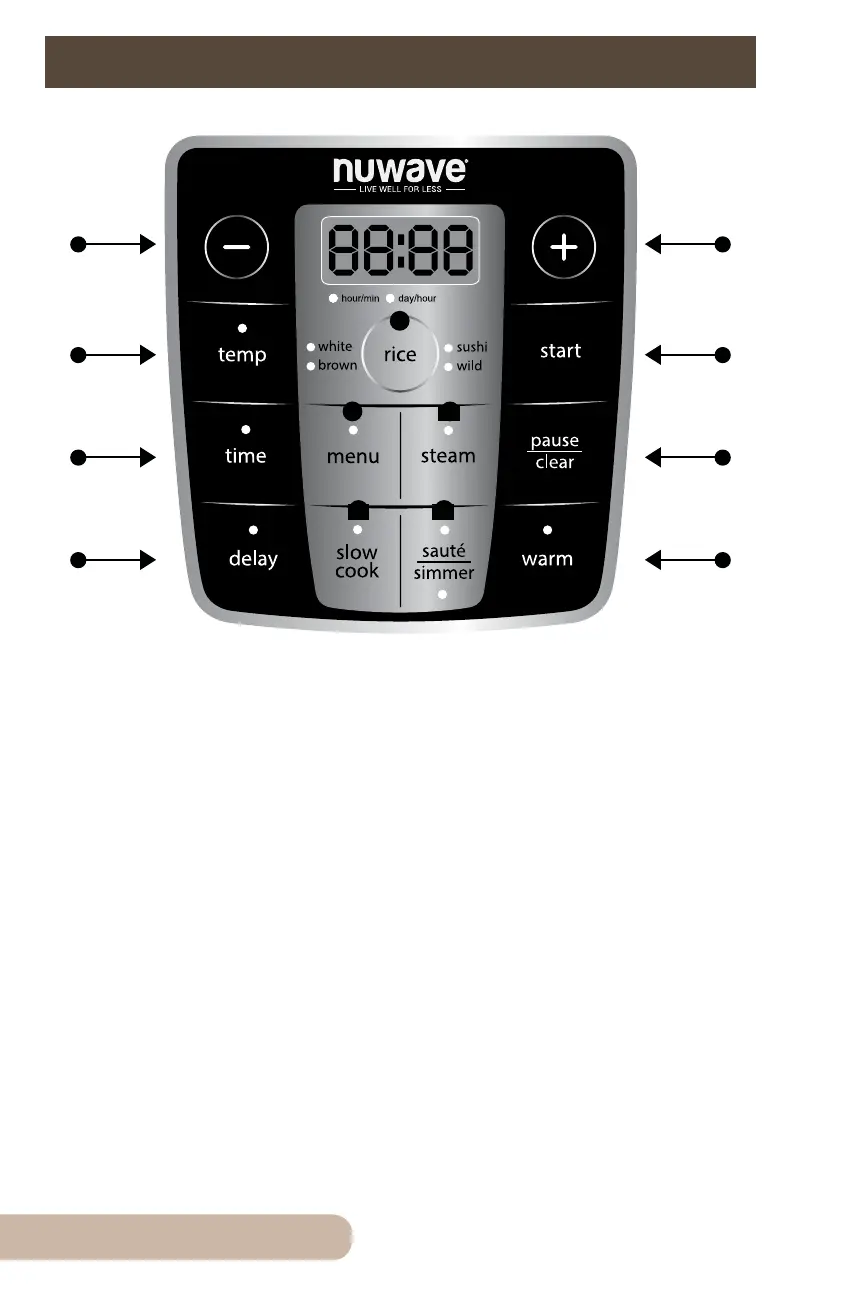
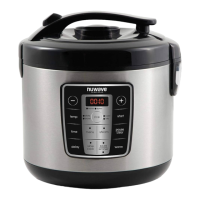
1. Temp/Time: Easily adjust Temperature in 5˚ increments, and 1-minute
increments.
2. Temp: Press the “temp” button and the “+” and “-” buttons to adjust.
3. Time: Press the “time” button and the “+” and “-” buttons to adjust.
4. Delay: Set a particular cook time from 0:01 minute to 24:00 hours.
5. Start: Choose any presets and press “start” to begin.
6. Pause/Clear: Press “pause/clear” any time you want to pause cooking
or clear.
7. Warm: After cooking, keep your food warm until you’re ready to serve.
8. Rice: White, brown, sushi, and wild rice presets.
9. Menu: Lets you choose from 10 preprogrammed presets. See page 16-17.
10. Steam: Used with and without the Steam Basket to steam your favorite
vegetables and meats.
11. Slow Cook: Cooks various recipes at low temperatures.
12. Sauté & Simmer: Go from high temperatures to a steady simmer.


 To Next Page