Nytech DS-8310 Introduction
14 - English
LCD Display
The LCD display [13] of your Nytech DS-8310 is used to configure the
shooting parameters, to check and adjust the camera settings and to
display your captured images. In Recording mode, on-screen icons inform
you of the current camera settings, while in Playback mode information on
the recorded image is displayed.
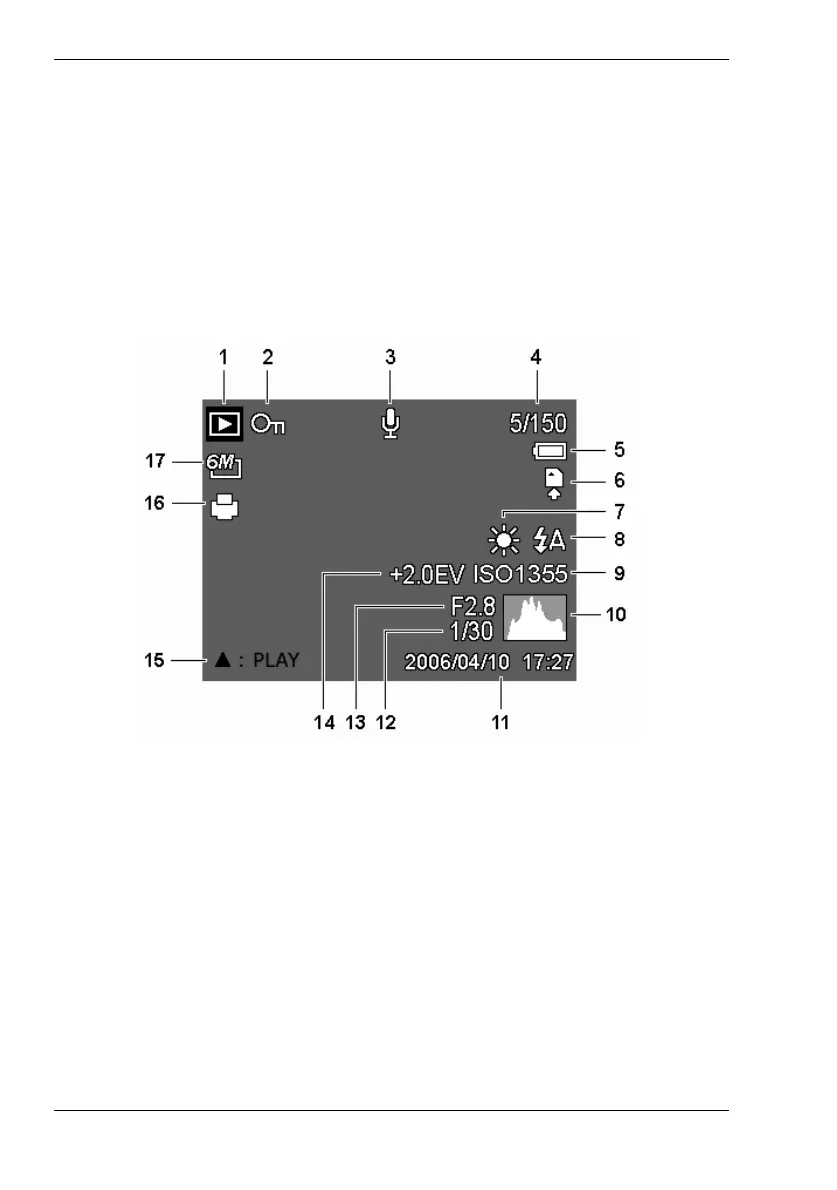
Playback Mode
1 Mode icon 10 Histogram
2 File protection 11 Date and time
3 Voice memo 12 Shutter speed
4 Current file number/total number of files 13 Aperture value
5 Battery status 14 Exposure correction
6 Storage media 15 Voice Memo
7 White balance 16 DPOF
8 Flash mode 17 Resolution
9 ISO setting



 To Next Page