23
eAdvantage User Manual (15PL1033 Rev. 7, July 2022)
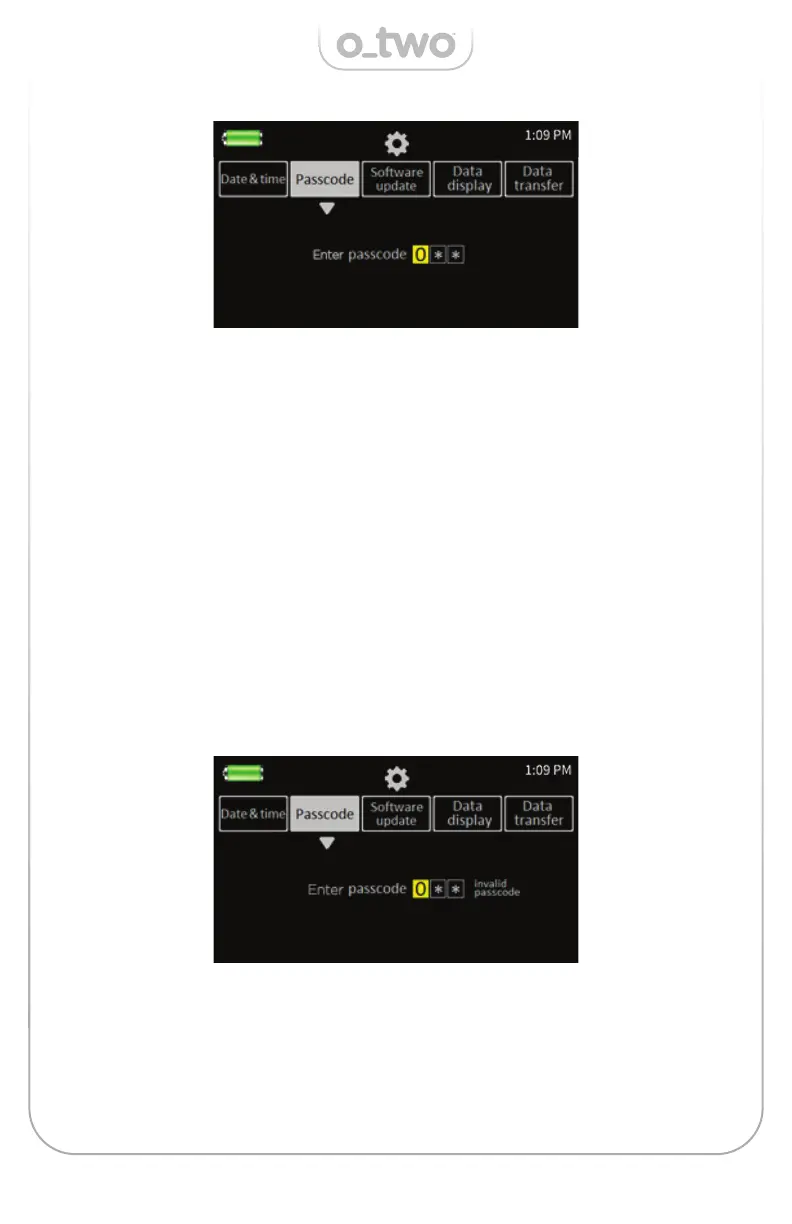
At the desired cell, press the Control Knob (K) to activate this cell. The
cell now changes to a solid color as shown below.
To increase the numbers 0-9 rotate the knob clockwise or counter
clockwise to decrease. Press the Control Knob (K) to confi rm the
change otherwise the selection will be cancelled if no confi rmation
occurred in 10 seconds.
Once confi rmed, the same cell changes from solid color back to a
square frame.
Move to the next desired cell and follow the same steps to make
changes or select the Cancel Key to exit out of this change and go
back to the main settings screen.
If the entered Passcode is accepted the screen will change to prompt
the User to enter the new passcode otherwise it will show “invalid
passcode” and the operator must repeat the above steps or may select
“Cancel” to exit without changes.


 To Next Page