75
This page allows you to set alarm limits for the salinity measurement mode:
Parameter Description Factory Default
Alarm Set
Points
Set alarm limits for the salinity measurement mode:
ENABLE – The measurement screen shows HI or LO
alarm indicators when the meter reading is above ‘HI
alarm value’ or below ‘LO alarm value’ specified in HI
& LO
ppm parameters (below)
DISABLE – HI and LO alarms are not shown in the
LCD
DISABLE
Hi ppm
Specify Hi alarm value here. The Hi alarm occurs
when the salinity reading goes above this value
2.00 ppm
Lo ppt
Specify Lo alarm value here. The Lo alarm occurs
when the salinity reading goes below this value
(This parameter is not editable when ‘ALARM SET
POINT’ is disabled)
1.00 ppm
) Press (Up) or (Down) arrow key to set high or low alarm point.
2. Salinity Calibration Mode
Use a standard solution of known value for calibration. Use the single-point
standardization option to measure samples that are close in value and multi-point
standardization to measure wide range of samples.
1. Switch the meter on. Make sure the meter is in salinity measurement mode.
2. Press CAL (F2) to go to calibration mode.
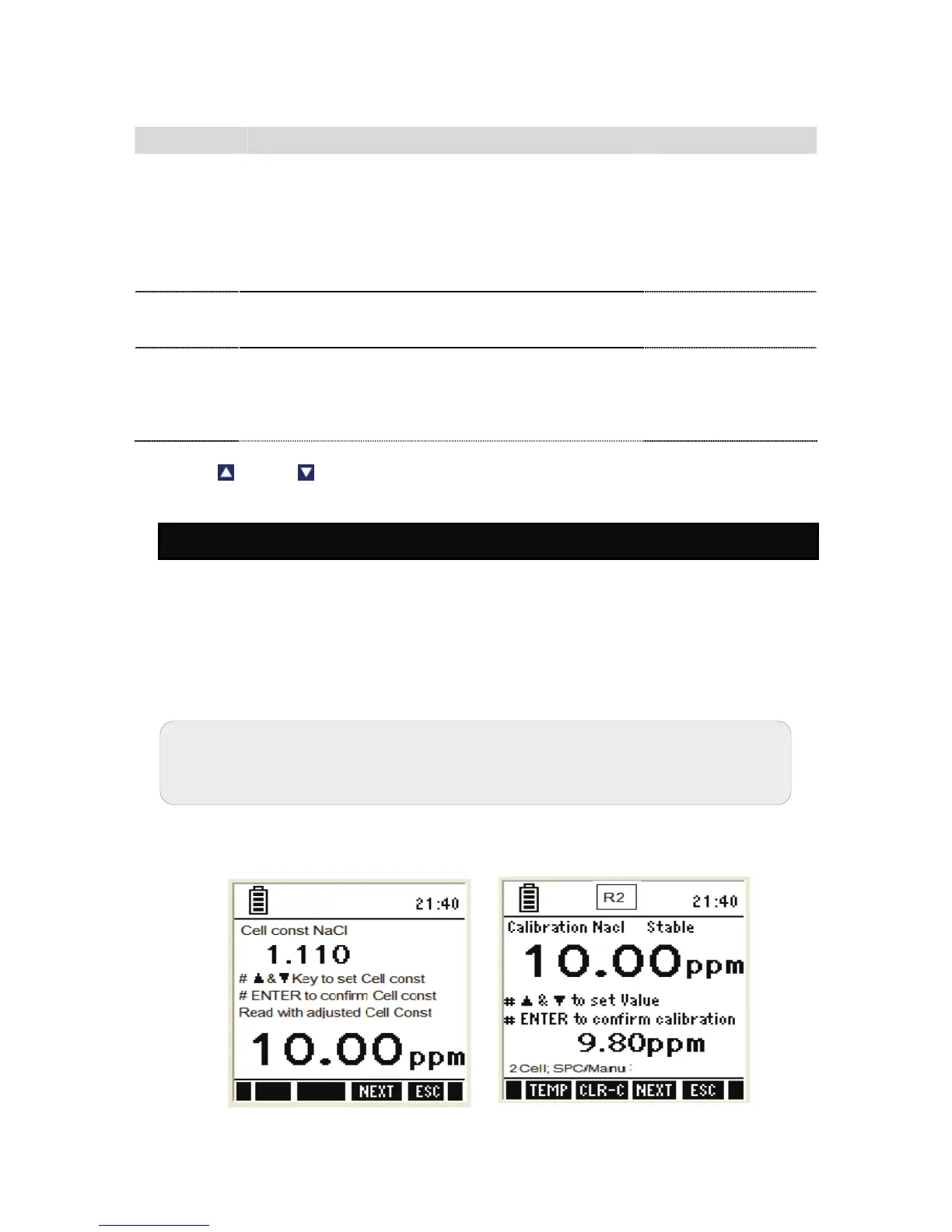
3. The meter shows the ‘Calibration-Rinse Electrode’ screen for a few seconds
and then shows the cell constant adjustment screen.
Figure 35 : Salinity Cell constant & salinity calibration
Note: If the meter is password protected, you will be prompted to enter a
password.


 To Next Page