7
OperationSetupformodels:89800-01&89800-02
•
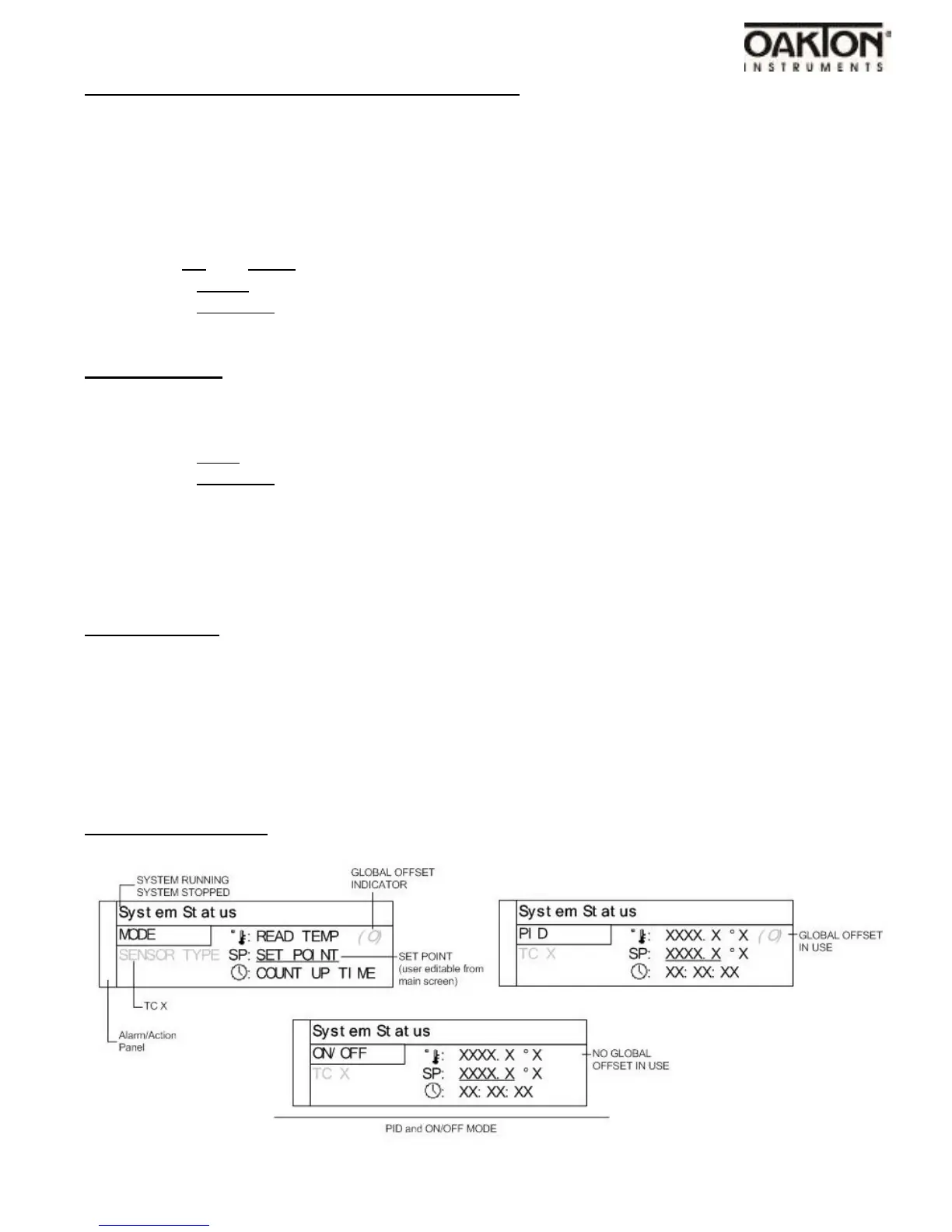
Toentertheuser-conigurablesetuppresstheMENUkeyfromthesystemstatusscreen.
•
UsetheMENUkeytoadvancethrougheachmenusetting.
•
UsetheUP&DOWNkeytomakechangesineachmenusettingscreen.
•
Usethelowchart(page16&17)tohavevisualoftheoverallmenulayout.
•
WhenallsettingshavebeenmadeandsavedthecontrolwillreturntotheSystemStatusscreen.
•
Set the Set Point temperature by pressing the Select button one time. A line will appear
under the Set Point value.
•
Use the Up and Down arrow keys to change the Set Point value.
•
Press the Select key one time when finished and the line under the Set Point will disappear.
•
Press the Run/Stop key when ready to start the heating/cooling operation.
•
Running the TUNE feature is recommended when running a new process.
Tune Operation
•
Setup your process as instructed in the operation setup guidelines.
•
Verify that the Auto Tune feature is enabled in the menu settings.
•
From the System Status screen set the Set Point temperature.
•
Press the Tune button and the indicator showing Tune will have be illuminated on display.
•
Press the Run/Stop button the start the process.
•
The Set Point value isn’t changeable after the Tune process has started. The value is locked
until the Tune process is complete or aborted by the user.
•
Stopping the Tune operation prior to it finishing will cause the PID settings to be returned to
factory default values.
•
PID values will be saved in non-volatile memory.
Control Sensor
Proper placement of the sensor can eliminate many problems in the operation of the system.
The probe should be placed so that it can detect any temperature change with little thermal lag.
In a process that requires fairly constant heat output, the probe should be located close to the
heater. In processes where heat demand is variable, the probe should be located close to the
work area. Experimenting with probe location will provide optimum results for the users specific
application.
Menu Screens
Menu Status screen:



 To Next Page