4
General Description
The Oakton TEMP 9000 Advanced Thermocouple Controller is designed regulate a user defined
set point temperature. The microprocessor control uses a PID algorithm that provides precise
heating/cooling tolerances for demanding applications in the laboratory or industrial setting. This
unit comes with a 3 meter detachable power cord, audible alarm, single thermocouple input, and
grid support bracket that is ideal for fume hood mounting to maximize bench space.
This control is a microprocessor-based, digital indicating, single loop temperature controller. It has
a single output located on the back of the control. It features an auto-tuning function that allows
automatic configuration of the PID parameters with a minimum of manual configuration required by
the user. Sensor input types: Thermocouple J, K, N, R, S, T, B, and E.
The control automatically sets the PID parameters through a "learning" sequence in the tune
mode. PID parameters include proportional band, reset/integral, and rate/derivative. The user-
friendly LED display is to aid in monitoring and setup of the control. The Oakton model: 89800-01
and 89800-02 controls automatically store all information in non-volatile memory.
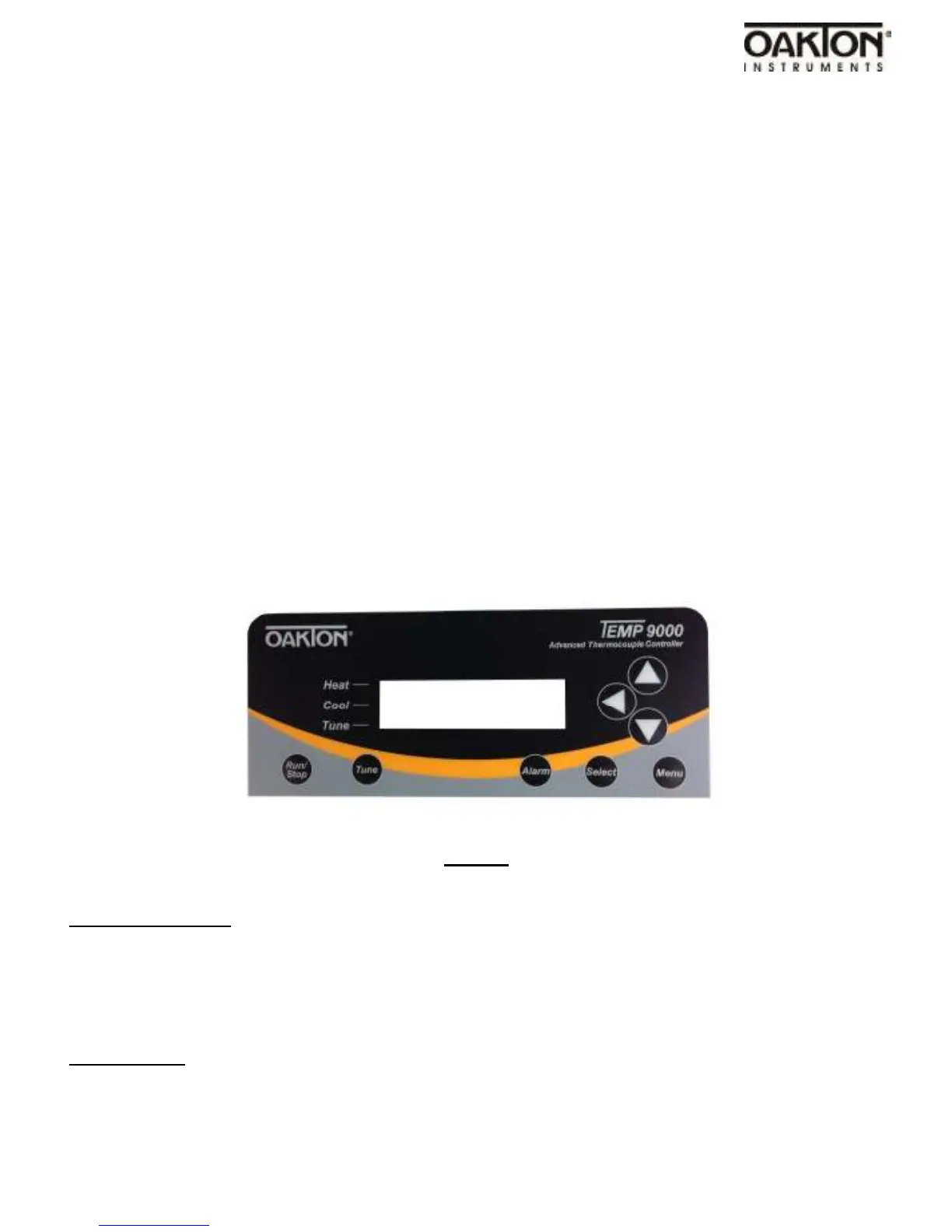
Control Panel Description
FRONT
RUN/STOP Button
Pressing RUN/STOP once will start the control process if the temperature controller is stopped, or
stop the control process if the temperature controller is the run mode. If the temperature controller
is running, “Heat” and “Cool” on-screen indicators will illuminate appropriately with the mode se-
lected in the setup menu. The ‘Control Action’ selection is in the Advance Menu Gateway setup.
TUNE Button
Pressing TUNE once will start the AUTO TUNE cycle. AUTO TUNING must be enabled in the set-
up menu for this key to function.



 To Next Page