35
TEO-5 User’s Guide
Low Frequency Oscillators
The idea is simple:
1. Choose a source.
2. Choose a destination.
3. Set an amount. The amount can usually be either positive or negative.
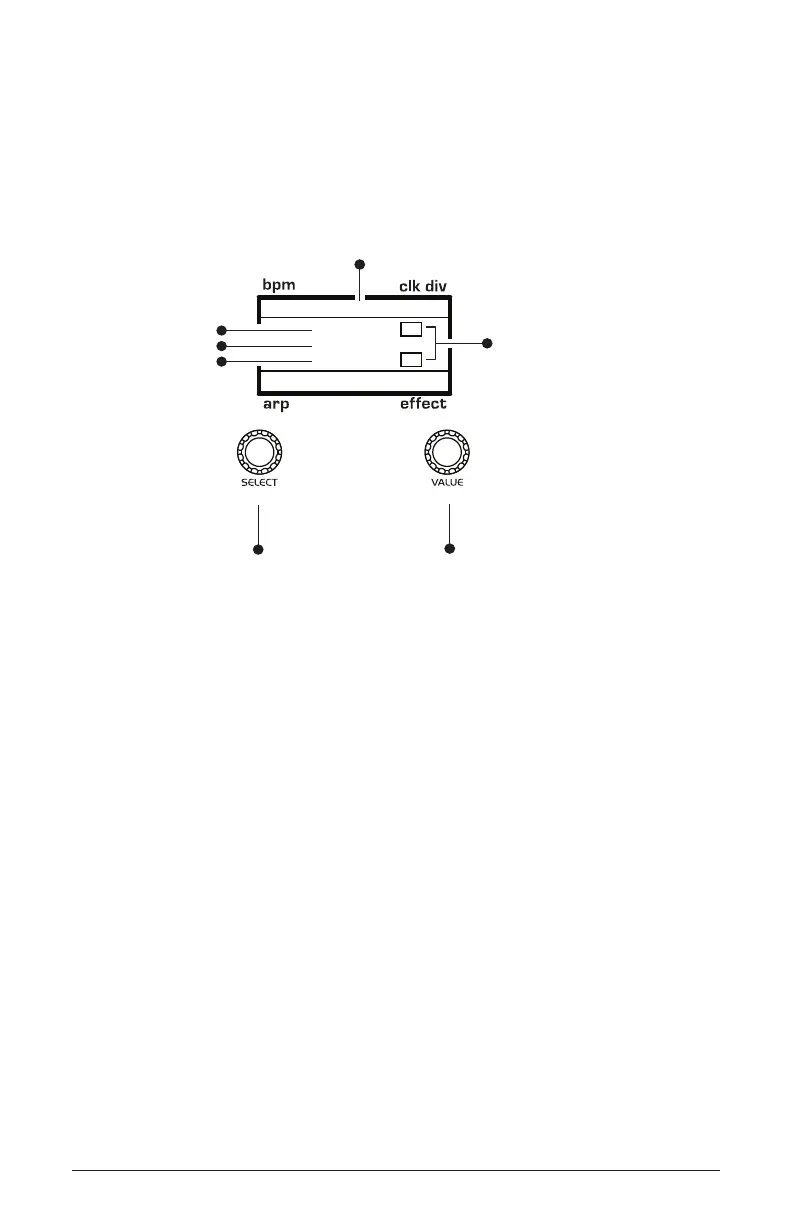
120 MOD 1 1/16
M
BBDUp+Down
M
Indicates whether
a mod source/destination
is mono (M) or poly (P)
Indicates mod slot number
Use this knob to
scroll through
mod slots and
source/amount/destination
Use this knob to
set the mod source
mod amount
mod destination
ModWheel
45
Overdrive
amount
source
destination
You already understand and apply the concept of modulation whenever
you use the lter envelope to control the lter’s cutoff frequency. In this
case, the modulation source is the lter envelope (or more precisely, any
of its controls, such as attack, decay, sustain, or release). The modulation
destination is the lter’s cutoff frequency. The modulation amount is set
with the Filter Envelope’s amount knob.
There are 19 different modulation sources and 65 different destinations to
choose from. This gives you a large number of sound-shaping options.
There is a useful shortcut for routing modulation to various front panel
sources/destinations. Simply hold down the source button and move the
control you want to use as a source (the Mod wheel, for example). Then
hold down the destination button and move the control that you want to
use as a destination (lter cutoff, for example). Set the amount with the
value knob while referring to the display. Be aware that not all front-panel
controls can be used as a modulation source/destination.



 To Next Page