62
Creating Synth Brass
Sequential
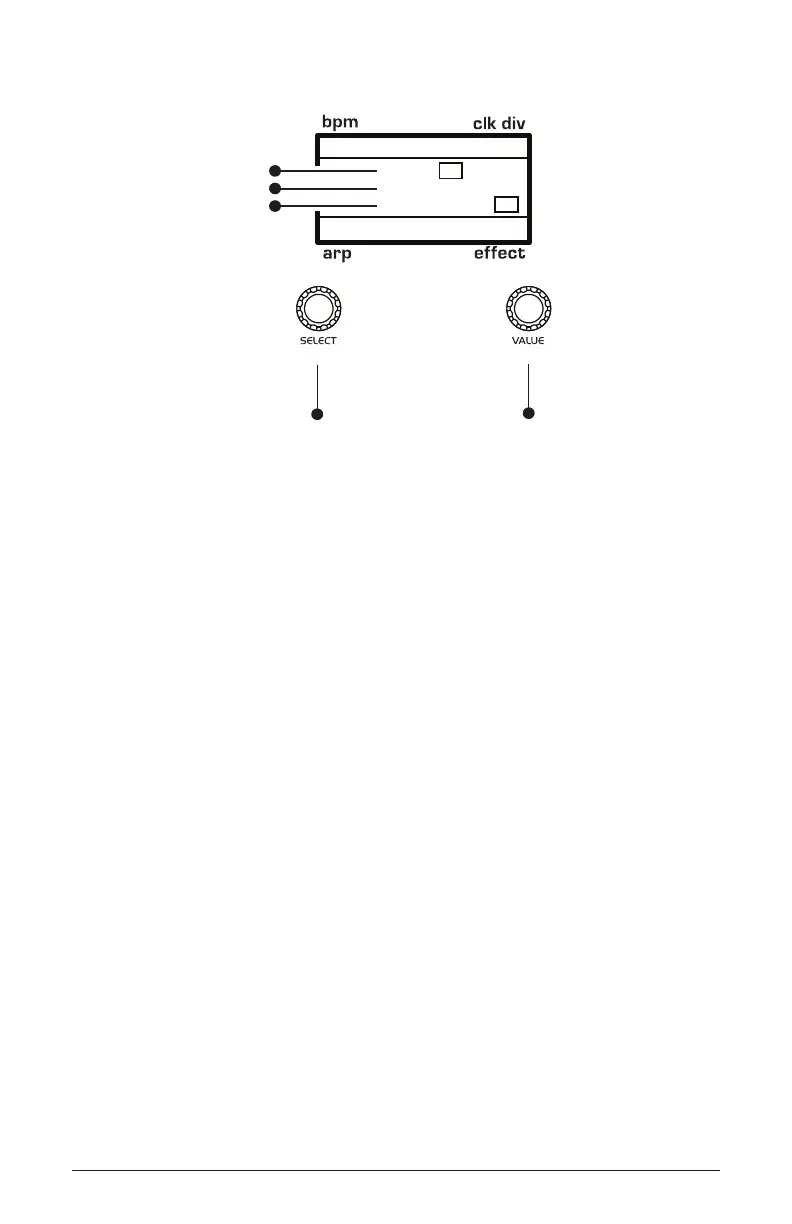
120 MOD 3
Env 1
+100
Osc1Detune
1/16
P
BBDUp+Down
P
amount
source
destination
Use this knob to
scroll through
mod slots and
source/amount/destination
Use this knob to
set the mod source
mod amount
mod destination
Turning Synth Brass into a String Pad
It’s a simple matter to turn the previous synth brass sound into a string
pad by simply adjusting its envelope and lter settings.
To turn the synth brass into a string pad:
1. Remove the pitch blip effect by setting the env 1 to osc 2 detune mod
amount to 0.
2. In the oscillators section, set osc 2 detune to about 1 o’clock.
3. In the filter section, set the cutoff to 12 o’clock.
4. In the lter section, set state to between 11 and 12 o’clock.
5. In the env 1 (Filter) section, set the amount to 2 o’clock
6. Set env 1 (Filter) attack to 2 o’clock, decay to 2 o’clock, sustain to 2
o’clock, and release to 12 o’clock.
7. Set env 2 (Amp) attack to 11 o’clock, decay to 2 o’clock, sustain to
5 o’clock, and release to 2 o’clock.
8. Play some chords. You’ve now got a good basic string pad.



 To Next Page