65
Take 5 User’s Guide
Creating a Hard-Sync Lead
from Osc 1 to help create a more aggressive hard-sync effect.
6. In the envelope section, set the envelopes to env 1: aux and env 2 filter
+ amp. This will allow you to use Envelope 1 as an auxiliary envelope
that will modulate the pitch of oscillator 1.
7. Hold the src assign button and turn any env 1 knob to choose env 1 as
the source.
8. Set the amount to 100 using the value knob.
9. Hold src assign and turn the osc 1 frquency knob to set the destina-
tion.
10. This routes Envelope 1 to modulate Oscillator 1 pitch according to its
ADSR (attack, decay, sustain, release) settings.
11. Set Envelope 1 (Aux) to attack: 9 o’clock, decay to 1 o’clock, sustain
to 10 o’clock, and release to 12 o’clock. This will set the amount and
“shape” of the modulation.
12. Play some notes. Classic hard-sync lead!
13. Experiment with Envelope 1’s Attack, Decay, Sustain, and Release
settings to better understand how these affect the shape of pitch
modulation routed to Oscillator 1. You can also try increasing the mod
amount to get even more extreme sync effects.
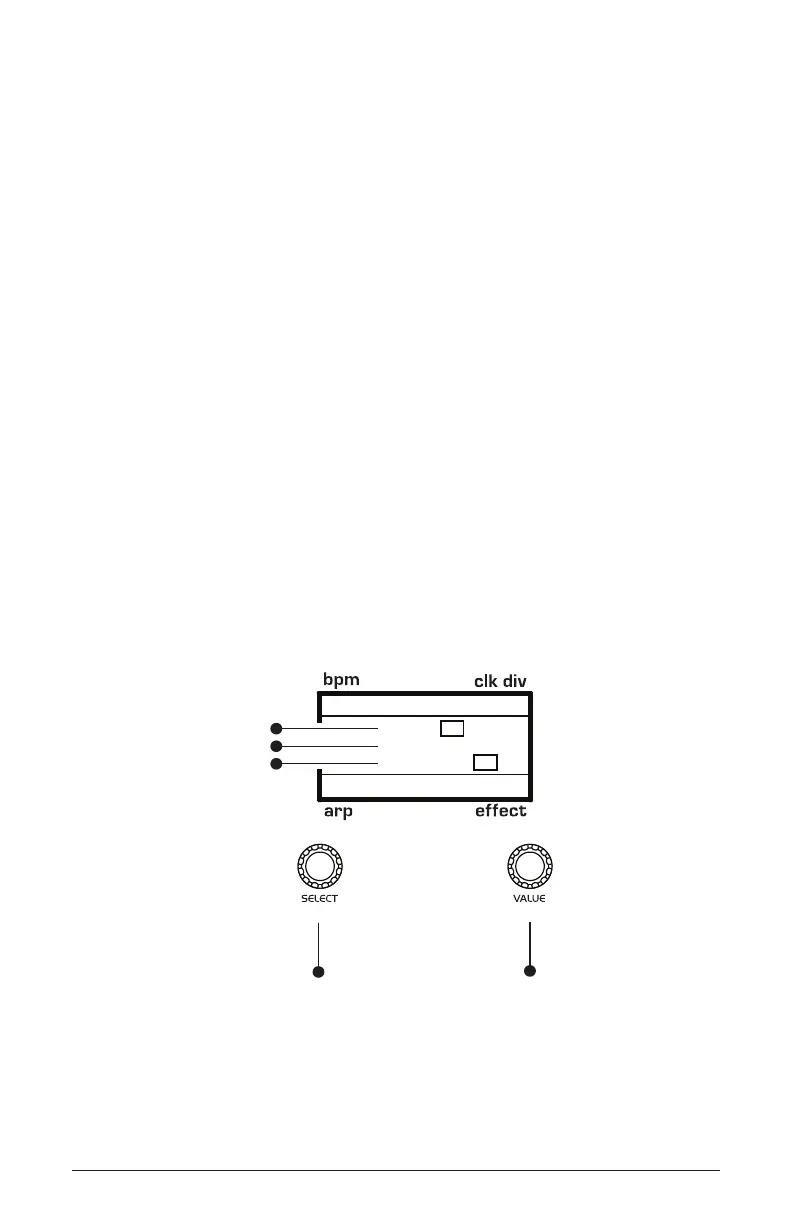
120 MOD 3
Env 1
+100
Osc1Freq
1/16
P
BBDUp+Down
P
amount
source
destination
Use this knob to
scroll through
mod slots and
source/amount/destination
Use this knob to
set the mod source
mod amount
mod destination



 To Next Page