32 Océ 7055/7056 User Manual
Adding toner
If the toner level is low, the ‘add toner’ indicator starts flashing. You can finish
your job. Then add toner.
Attention:
If you ignore this symbol, copy quality will diminish.
▼
▼▼
▼
Adding toner
Attention:
Only use B1 toner.
1
Switch off the copier.
2
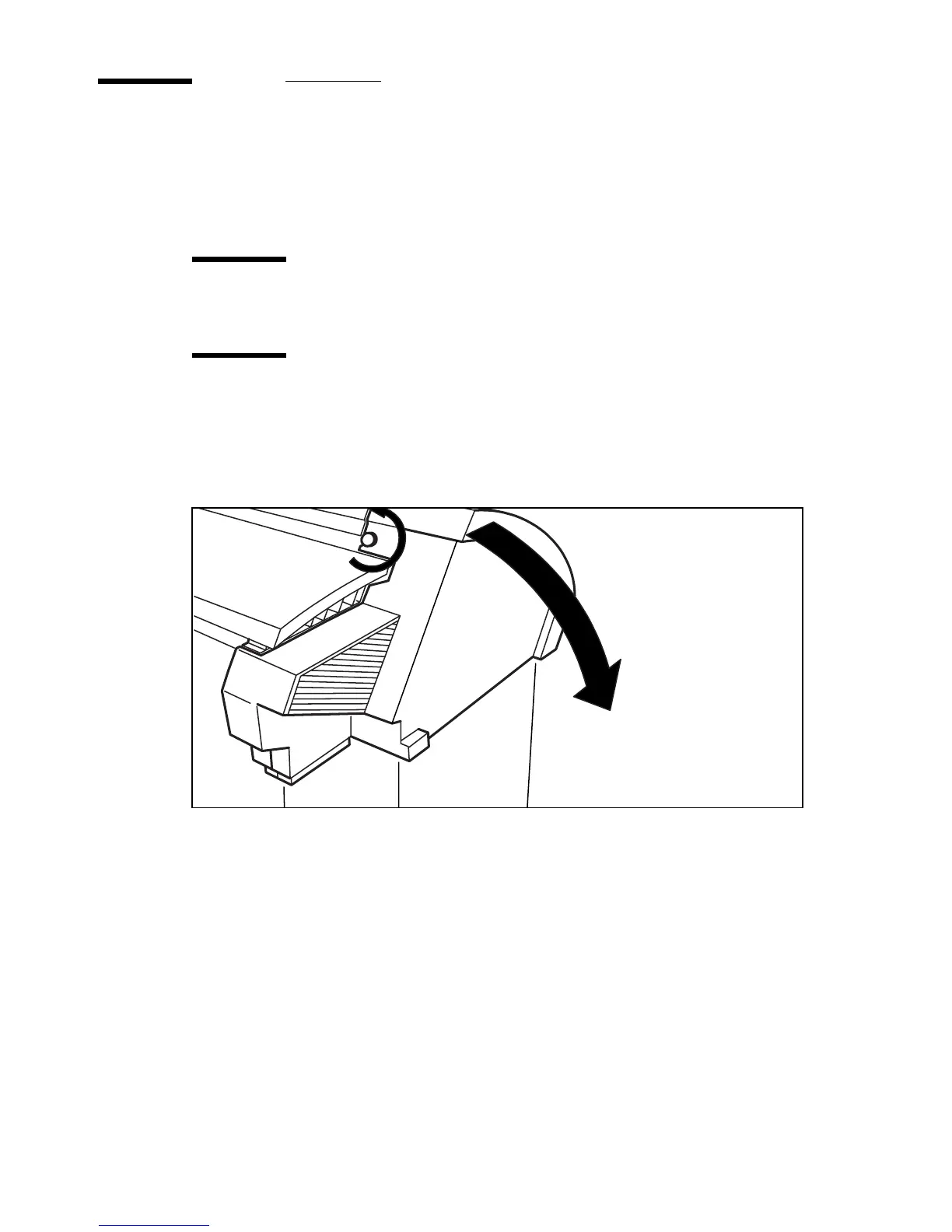
Unscrew the knurled nut at the left hand side of the machine and open the cover
(see figure 20).
[20] Unscrewing knurled nut and opening the cover
3
Shake the toner bottle thoroughly and open the bottle.



 To Next Page