2
fx3000
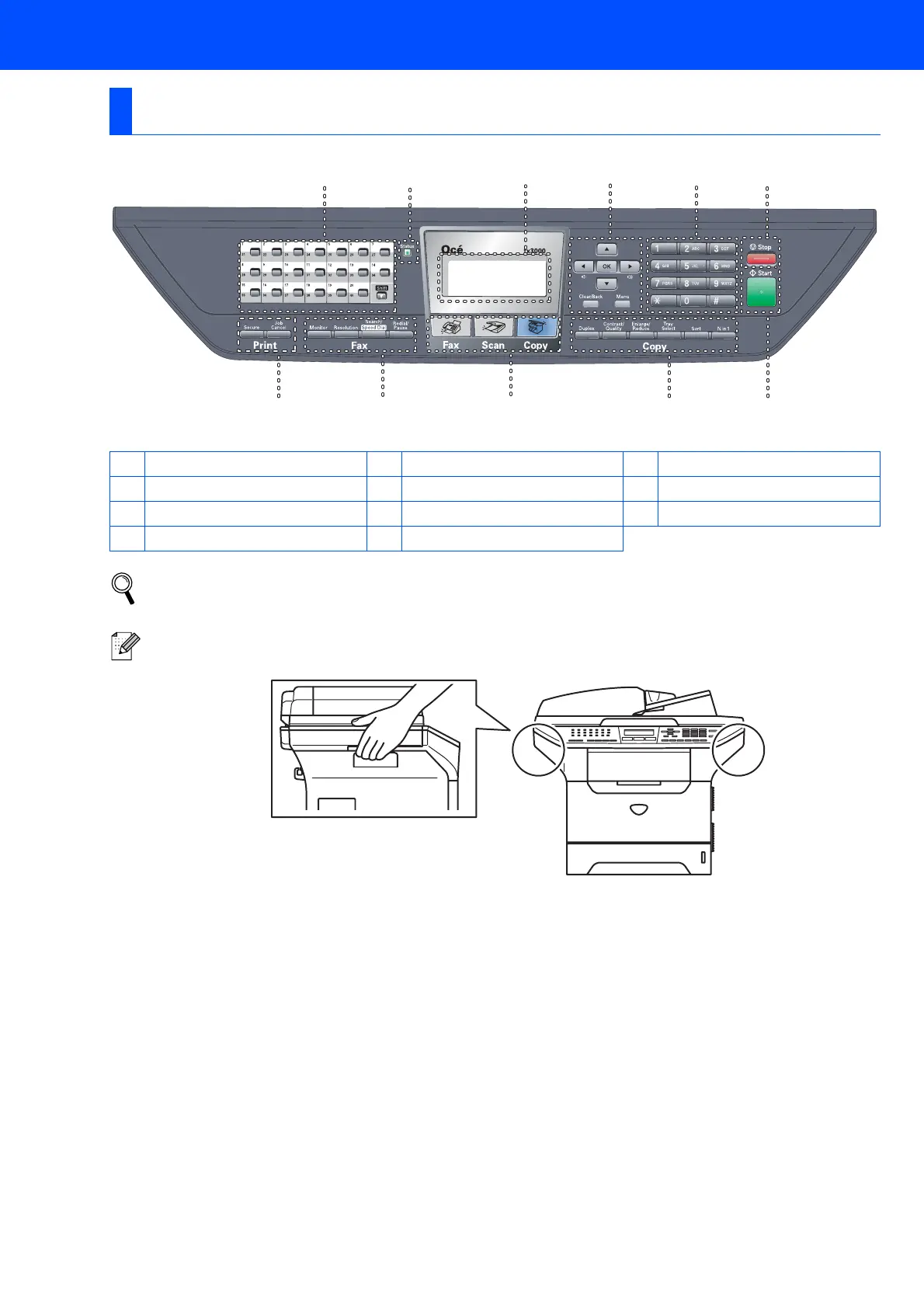
Control Panel
1 One Touch keys 2 Status LED 3 LCD (Liquid Crystal Display)
4 Menu keys 5 Dial Pad 6 Stop key
7 Start key 8 Copy keys 9 Mode keys
10 Fax and telephone keys 11 Print keys
For the details of the control panel, see “Control panel overview” in Chapter 1 of the User’s Guide.
When you move the machine, grasp the side handholds that are under the scanner. Do NOT carry the
machine by holding it at the bottom.
981011
12 345
6
7



 To Next Page