4
Setting Up the machine
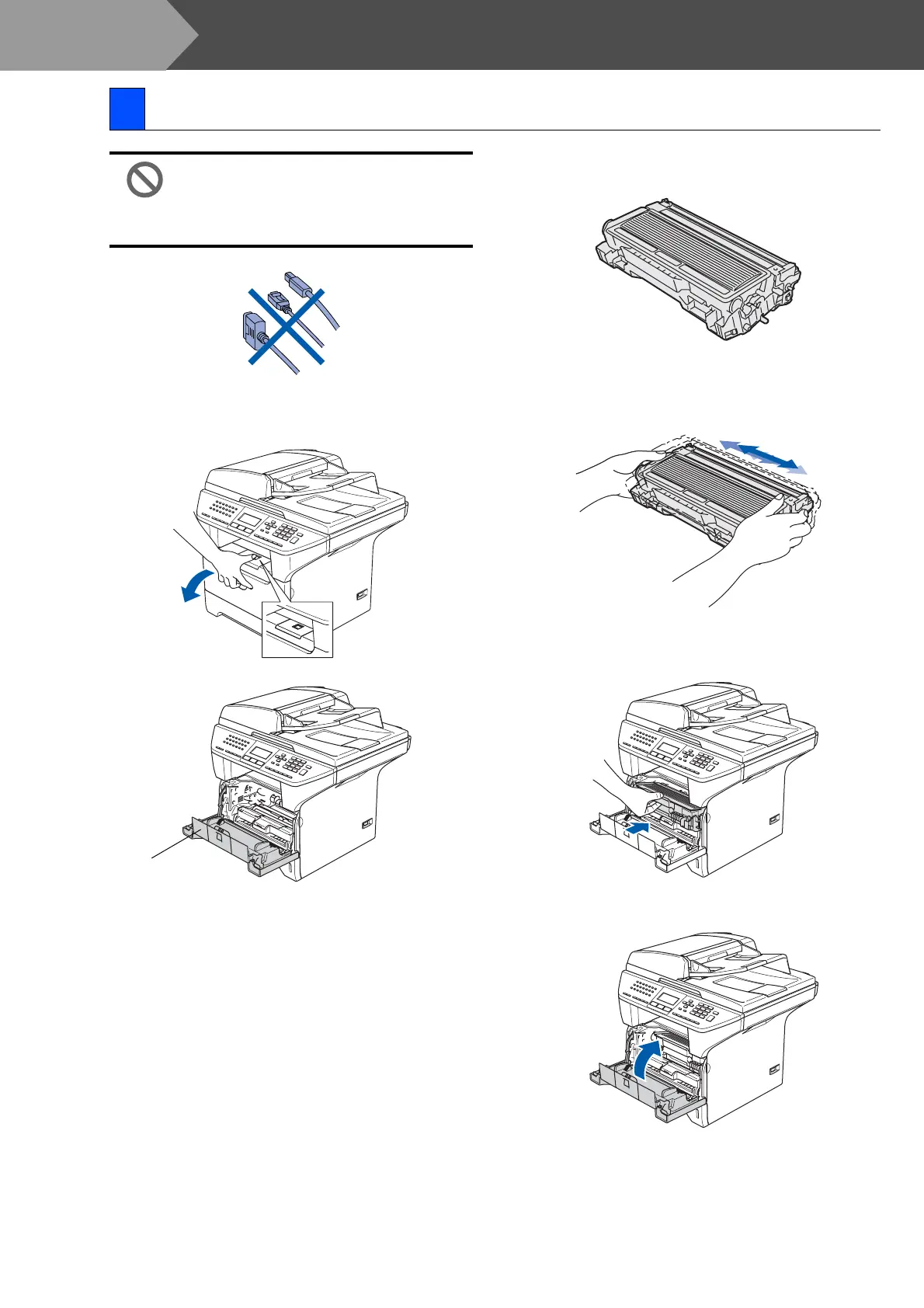
Do NOT connect the interface cable.
Connecting the interface cable is
done during the software
installation process.
1 Open the front cover by pressing the front
cover (1) release button.
2 Unpack the drum unit and toner cartridge
assembly.
3 Gently rock the drum assembly from side to
side several times to distribute the toner
evenly inside the cartridge.
4 Put the drum unit and toner cartridge into
the machine so that it clicks into place.
5 Close the front cover of the machine.
1 Install the drum unit assembly
(1)
Step 1



 To Next Page