3-2
SENDING THE SAME DOCUMENT TO MULTIPLE
DESTINATIONS IN A SINGLE OPERATION
(BROADCAST TRANSMISSION)
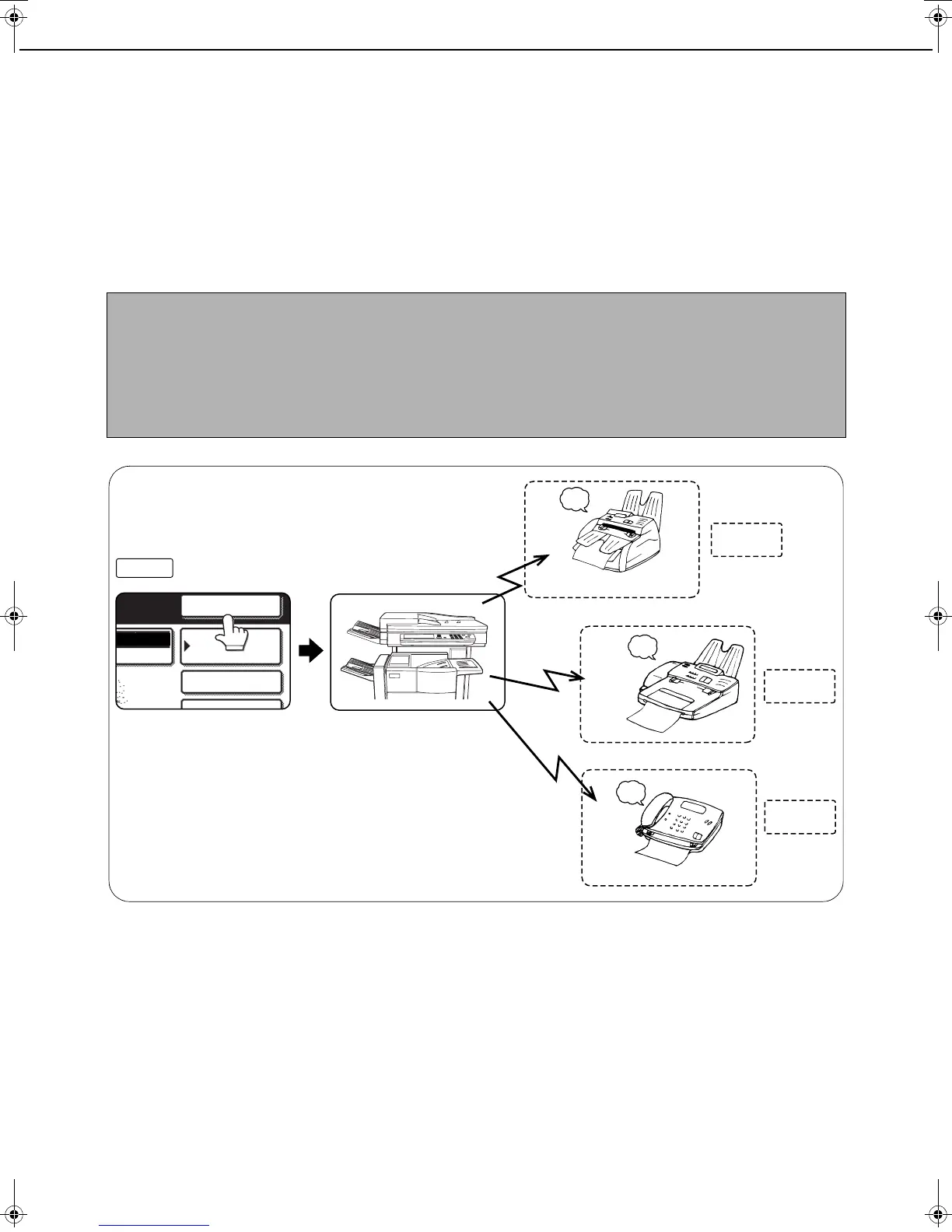
This feature is used to send a document to multiple destinations in a single operation. The document to be
transmitted is scanned into memory and then successively transmitted to the selected destinations. This feature is
convenient for such purposes as distributing a report to company branches in different locations. Up to 500
(maximum of 300 when a hard disk drive is not installed) destinations can be selected.
NOTES
● If you frequently use broadcasting to send documents to the same group of destinations, it is convenient to
program those destinations into a group key. A group key is a one-touch key in which multiple destinations are
programmed. The procedure for programming group keys is explained on page 6-6.
● When using a group key to send a fax, the destinations programmed in the group key are counted as
broadcasting destinations. For example, if five destinations are programmed in a group key and the key is
touched for a broadcast transmission, the broadcast transmission will have five destinations.
The document is scanned
into memory
Reception
Reception
Reception
Destination A
(recipient)
Successive
transmission
Destination B
(recipient)
Destination C
(recipient)
Beep
Beep
Beep
Sender
Successively enter
destination numbers
SPE IAL MODE
NEXT ADDRESS
DE SWITCH
FAX
ADDRESS BOOK
ADDRESS REVIEW
Tiger2_fax_sec.book 2 ページ 2004年12月15日 水曜日 午前11時4分



 To Next Page