3-17
3
PROGRAMMING FREQUENTLY USED OPERATIONS
This function allows you to store the steps of an operation, including the destination and scanning settings, into a
program. This function is convenient when you frequently send documents, such as a daily report, to the same
destination. Up to eight programs can be stored.
Programs can be stored using the custom settings, and a name up to 18 characters long can be assigned.
For information on storing, editing, and deleting programs, refer to "storing a program", and "Editing and
deleting programs" on page 6-8.
The following settings can be stored in a program:
●
Destination fax number
●
Polling
●
Erase
●
Dual Page Scan
●
2in1
●
Card shot
●
Resolution and exposure
Auto-dial keys (one-touch key, group key or speed dial key) are used to store the destination fax number. A full
number cannot be entered. When storing a broadcast transmission or serial polling operation in a program, up to 500
(maximum of 300 when a hard disk drive is not installed) destination fax numbers can be stored.
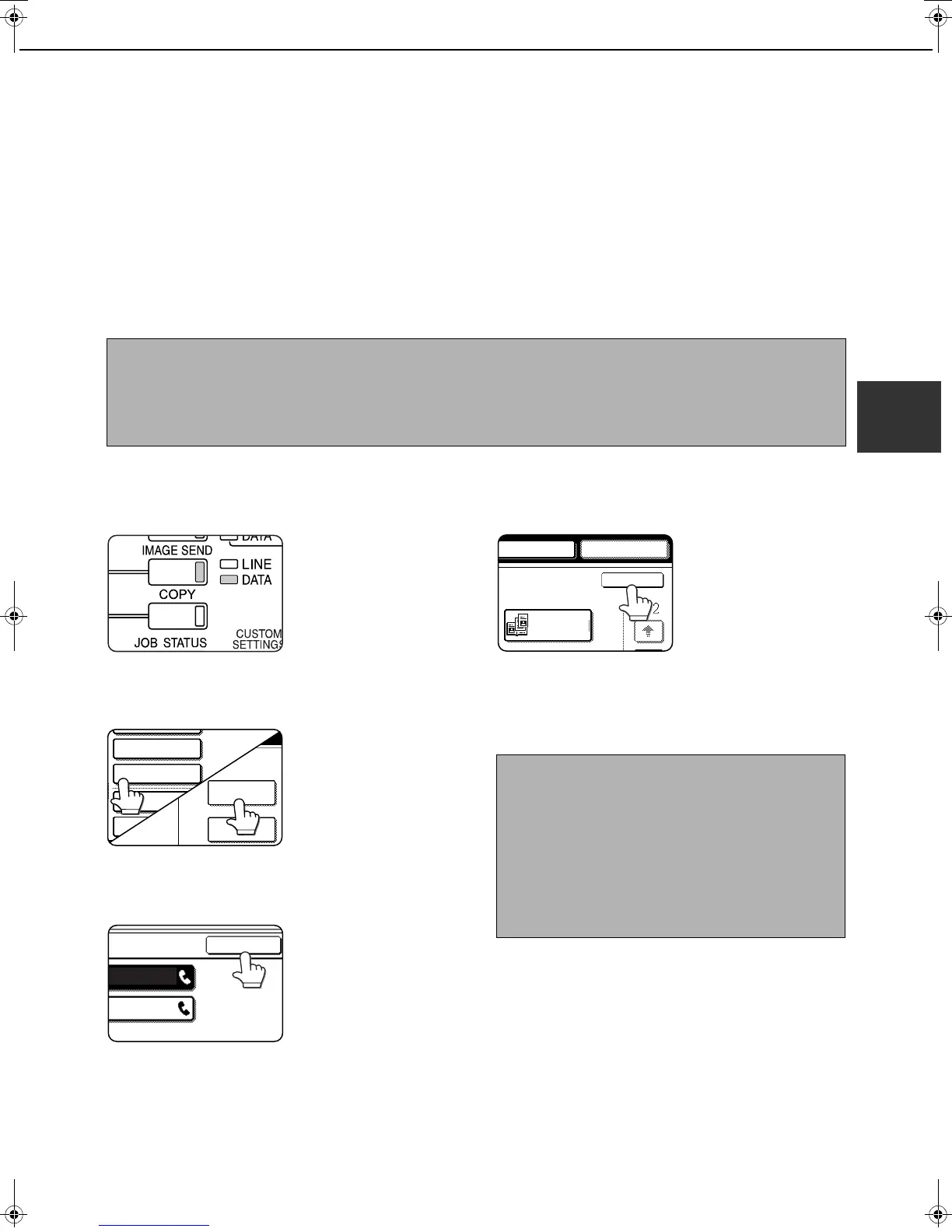
USING A PROGRAM
1
In fax mode, load the document (page 1-7).
Do not load a document
if you are performing a
polling operation.
If you are going to use Dual
Page Scan (page 3-5) and
card shot (page 3-8), place
the document on the
document glass.
2
Touch the [SPECIAL MODES] key and
then the [PROGRAM] key.
If the address book screen
appears, touch the
[CONDITION SETTINGS]
key to display the
condition settings screen
(page 1-5).
3
Touch the program key you wish to
execute. Make sure the key is highlighted
and then touch the [OK] key.
The program key you
touched is selected and
you return to the screen
of step 2.
The [PROGRAM] key is
highlighted.
4
Touch the [OK] key.
You will return to the
initial screen.
5
If needed, set the original size and other
settings, and then press the [START] key.
Transmission takes place according to the
program.
NOTES
● A program differs from a timer transmission (page 3-6) in that it is not cleared from memory after transmission
takes place. A program thus allows you to repeatedly perform the same type of transmission. Note, however,
that programs do not allow you to establish a timer setting for transmission.
● With the exception of polling, reception operations cannot be stored in a program.
QUICK FILE
ADDRESS REVIEW
SPECIAL MODES
FILE
NOTE
Select functions that cannot be stored in a program
before you press the [START] key in step 5. These
functions include specifying the original size (See
"MANUALLY SETTING THE SCANNING SIZE" on
page 1-8.), two-sided scanning (See "FAXING A
TWO-SIDED ORIGINAL" on page 2-7.), and timer
transmission. (See "TIMER TRANSMISSION" on
page 3-6.)
SPEAKER RESEND
OK
DUAL PAGE
SCAN
Tiger2_fax_sec.book 17 ページ 2004年12月15日 水曜日 午前11時4分



 To Next Page