Load rolls of media
2. Remove the empty core from the roll holder while pressing the knob.
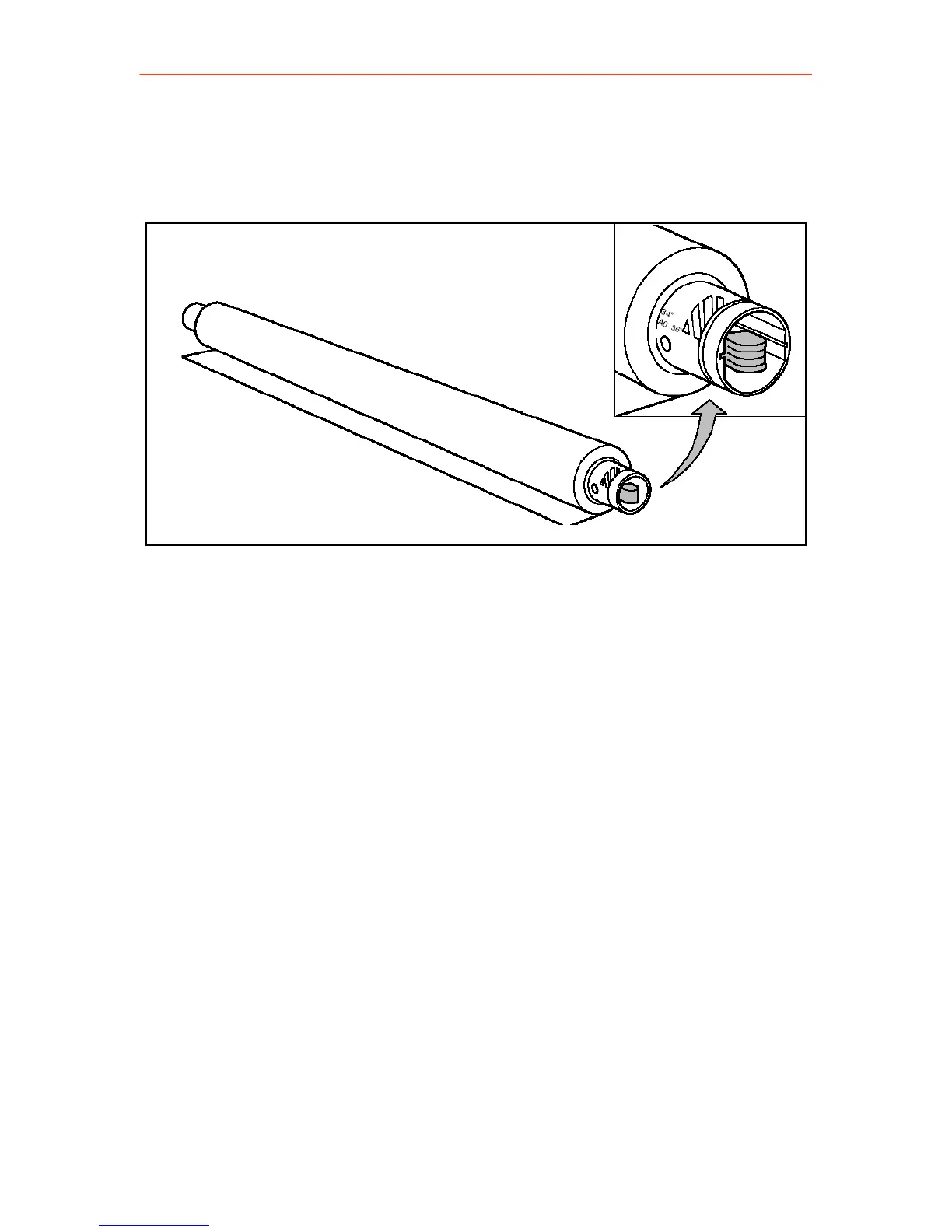
3. Slide the roll holder in the new roll of material while pressing the knob.
The knob must be at the right hand side and paper must be
positioned as shown in the figure.
4. Align the roll with the appropriate size indicator on the roll holder and
release the locking mechanism. The size indicator line has to be
completely visible.
15



 To Next Page