Registering Address Book
11
11-12 VL3622c/VL2822c/VL2222c
11.5
[New Registration]ö[Internet Fax]
(Registration is possible when the Internet fax function is available. )
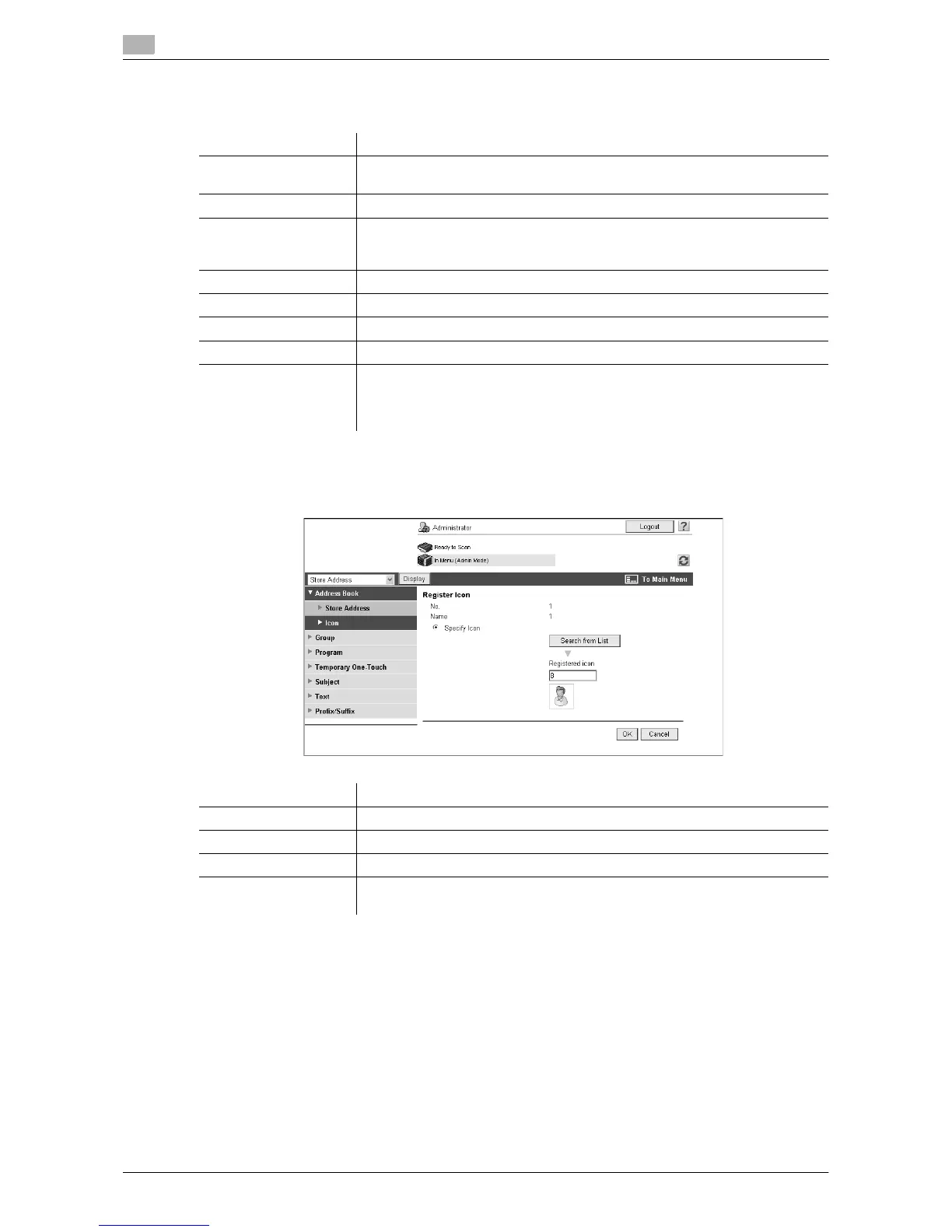
[Icon]
In the administrator mode of Web Connection, select [Store Address]ö[Address Book]ö[Icon]ö[Edit].
Item Description
[No.] Specify the registration number of the destination.
If you select [Direct Input], enter the registration number.
[Name] Enter the destination name (up to 24 characters).
[Index] Select the index character used when searching for the destination.
It is convenient to select the [Main] check box for a frequently used destina-
tion.
[E-mail Address] Enter the E-mail address of the destination (up to 320 characters).
[Resolution] Select a resolution the receiver machine supports.
[Paper Size] Select a paper size the receiver machine supports.
[Compression Type] Select a compression type the receiver machine supports.
[Limiting Access to
Destinations]
Click [Display] to display the current settings for limiting access to destina-
tions.
Specify the access allowed level or reference allowed group required to ac-
cess this destination.
Item Description
[No.] Displays the registration number of the destination.
[Name] Displays the name of the destination.
[Specify Icon] Select [Specify Icon].
[Search from List] Click this button to display the list of icons. Select the icon you want to regis-
ter.



 To Next Page