8 Patient Data Management
10 / 56 Instruction Manual C-Quant ( G/80000/1007/en)
Attention
Before data are actually deleted, one must confirm twice that all the examinations per-
formed on the patient, as well as all patient data from the patient data administration,
are to be removed.
8.6 Exporting patient data
Content
Saving patient and examination data in a different directory.
Transferring measurement data to another storage medium (e.g. USB drive).
Sending stored data by e-mail.
Î In Patient Data Management, select the patient you require.
You can select a patient’s entire data master or individual examinations.
Î Click [Export].
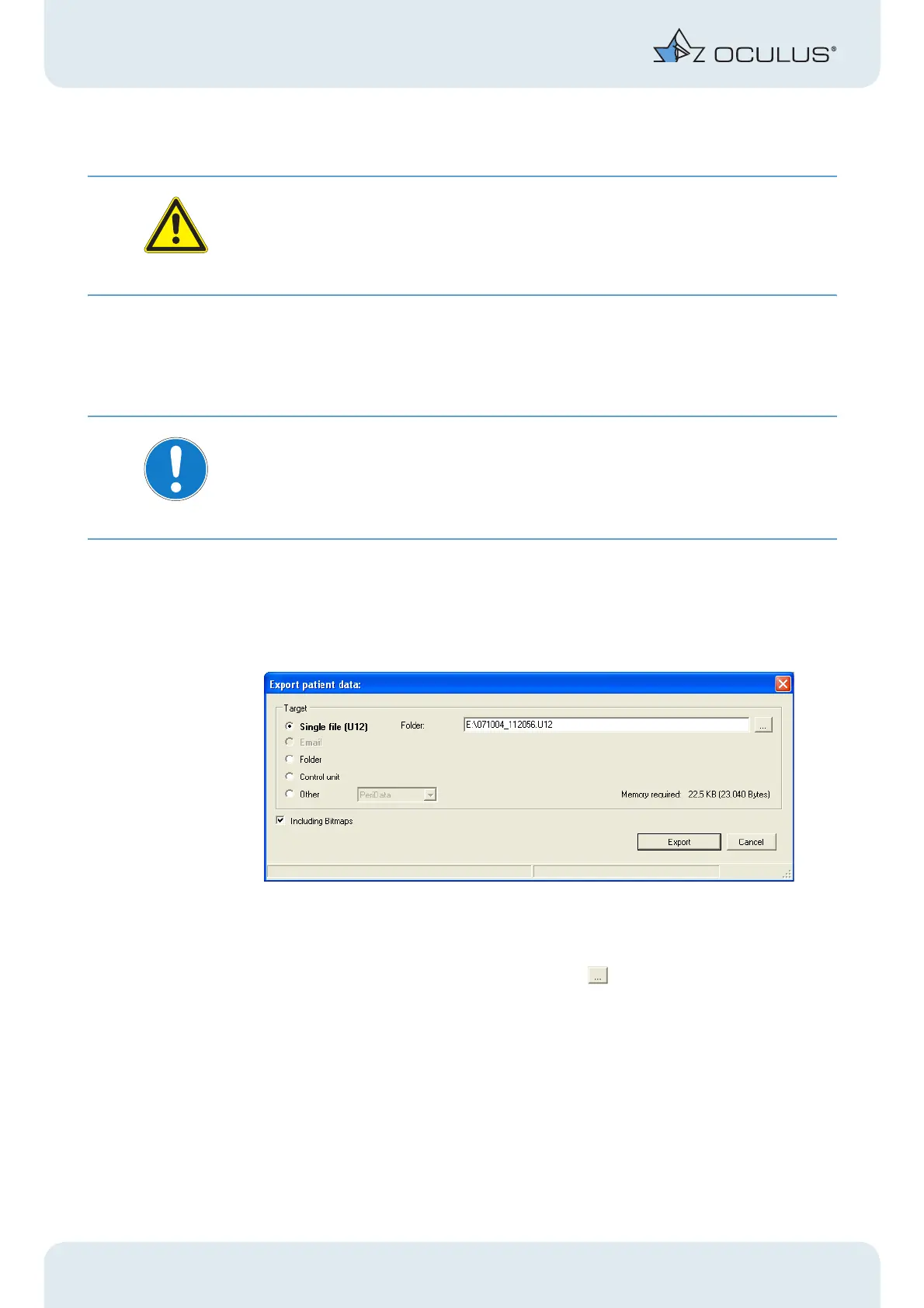
The following dialog box appears:
Fig. 8-5: Exporting patient data
Î Select "Single File (U12)".
Î You can open the "Directory" by clicking the button.
Î Specify the name and destination of the file you are saving.
Î Click [Export].
The patient and examination data have now been saved at the destination specified.
You can send data stored on the hard drive as an e-mail attachment.



 To Next Page