8 Patient Data Management
18 / 56 Instruction Manual C-Quant ( G/80000/1007/en)
8.9.4 Settings “Email”
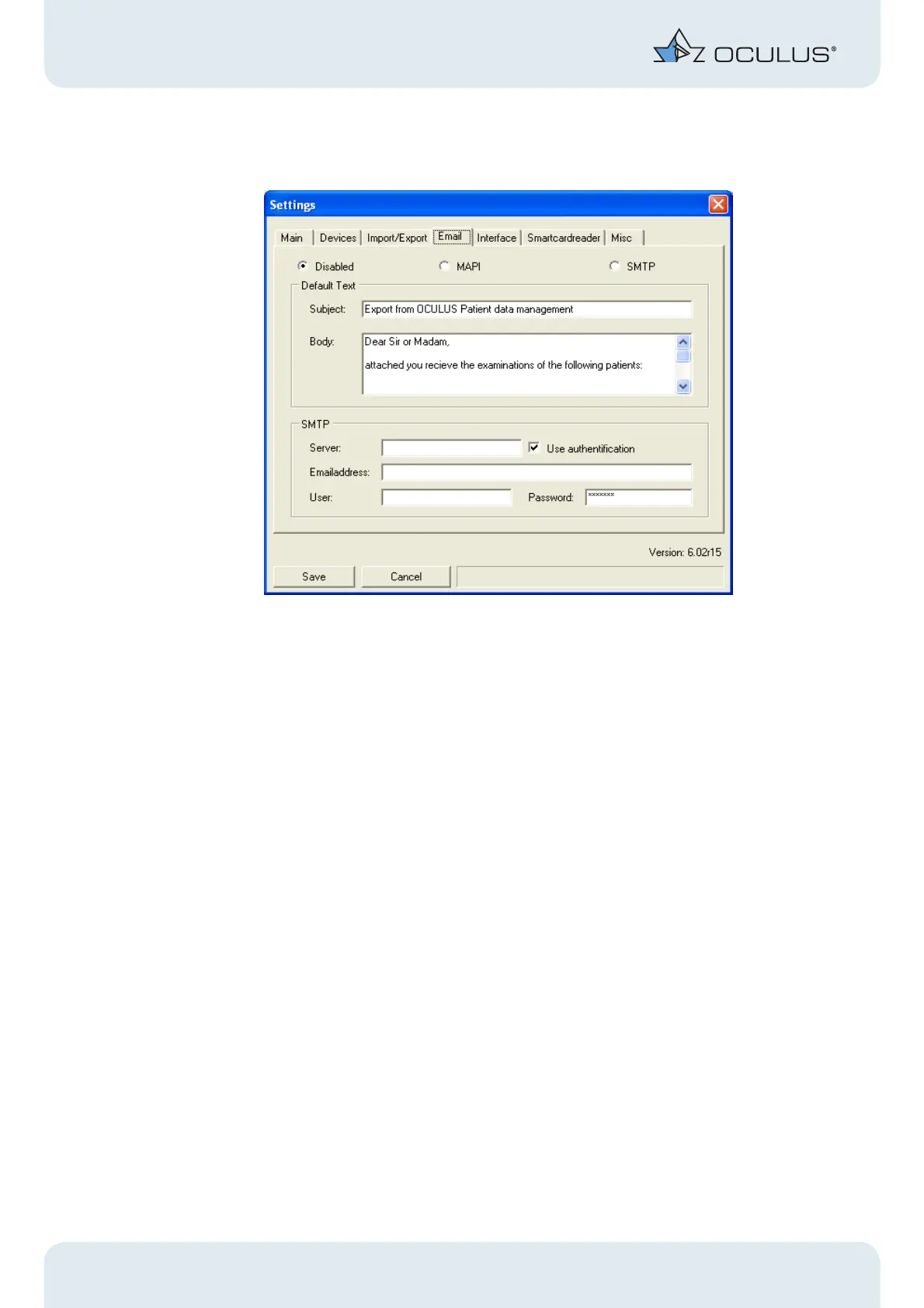
Fig. 8-11: "Email"-Box
The settings for data transfer by E-mail are entered on the “Email” tab panel.
Disabled
If no data transfer is to take place via E-mail, activate the option “Disabled”
MAPI
If you activate the “MAPI” option, the data transfer takes place via the standard E-
mail function of your computer.
SMPT
If an E-Mail program is not installed on your PC, activate the option “SMTP”. The data
transfer then takes place directly, based on the settings in the “SMTP” field. When
using the SMTP function, you must make the appropriate settings in the “SMTP”
field.
When an E-mail function has been activated, you can write a subject line and a default
text for the body of the E-mail in the “Default Text” field. These are then automatically
inserted when the E-mail is written.



 To Next Page