8 Patient Data Management
Instruction Manual C-Quant ( G/80000/1007/en) 11 / 56
Note
Requirements for transferring data to another PC:
A software licence purchased from an authorised dealer. This licence includes instal-
lation instructions and a Licence-Key.
The C-Quant program must be installed on the other PC. If the program is updated
on the C-Quant PC (sender), the program on the other PC (recipient) must also be
updated.
8.7 Importing patient data
Import the patient and examination data you have received into your C-Quant software.
Î In Patient Data Management, click [Import]
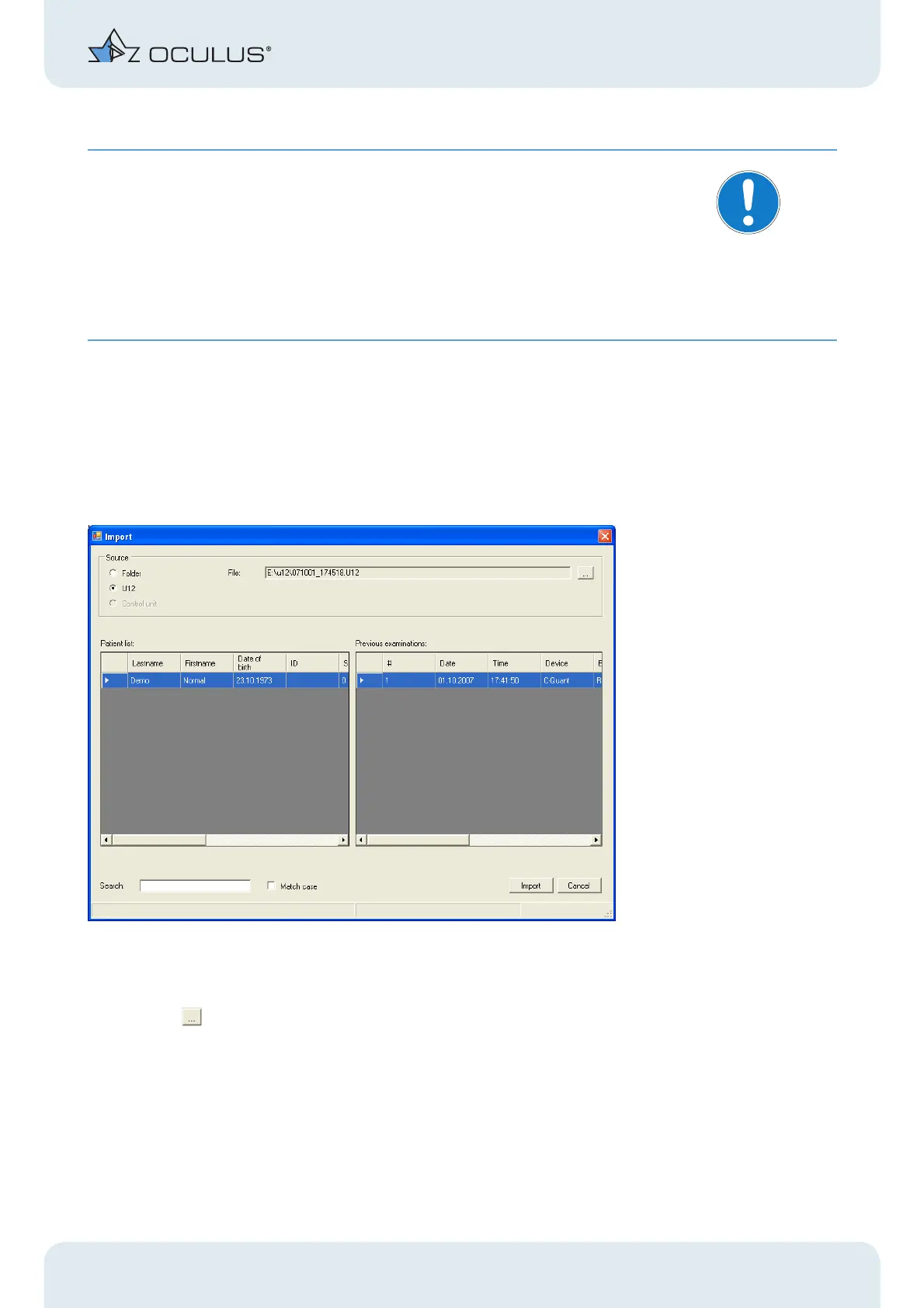
The following dialog box appears:
Fig. 8-6: Import-Box
Î Select the option "U12".
Î Click the button under "File".
Î Look for the exported file in the selected folder.
Î Open the exported file.
Î Click [Import].
The imported files are marked in the Patient Data Management menu.



 To Next Page