ODYS PDV 67003 DVB-T
10
EN
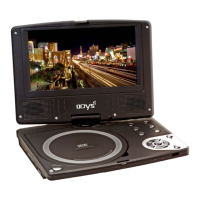
1. TFT LCD screen
Presents high resolution picture.
2. Loudspeaker
Two speakers output high quality stereo sound.
3. AV button
Switches between DVD playback and reception of an external AV signal
source (activates the AV In signal input)
4. DVD/USB/SD/DVB quick-change button
Switches between the DVD, USB, SD and DVB functions
5. TITLE button
To display the title menu of the disc (if present on the disc)
6. MENU button
To display the disc menu
7. MODE button
To change the display format, brightness, contrast, colour; Press for several
seconds to switch between 16:9, 4:3 or reversed image.
8. SETUP button
Accesses the setting for the DVD or DVB mode
9. STOP button
Jump to next/previous chapter
11. ENT button
For confirming selected menu items.
12. PLAY/PAUSE button
Starts playback or activates the pause function
13. Sensor for remote control
Sensor that receives the signal from the remote control
14. Display for charge state of rechargeable battery
Illuminates red when the batteries are charging and green when the charging
procedure is complete.
15. Power supply indicator lamp
In active mode, it is green; in standby mode, it turns red.
16. Disc cover
17. Button for opening the disc cover


 To Next Page