ODYS PDV 67003 DVB-T
18
EN
4 Connecting the DVD player
x The DVD player, the television set and any other electric devices to be
connected to the DVD player must be switched off and disconnected from
the mains.
x Observe the colour coding when connecting audio and video cables.
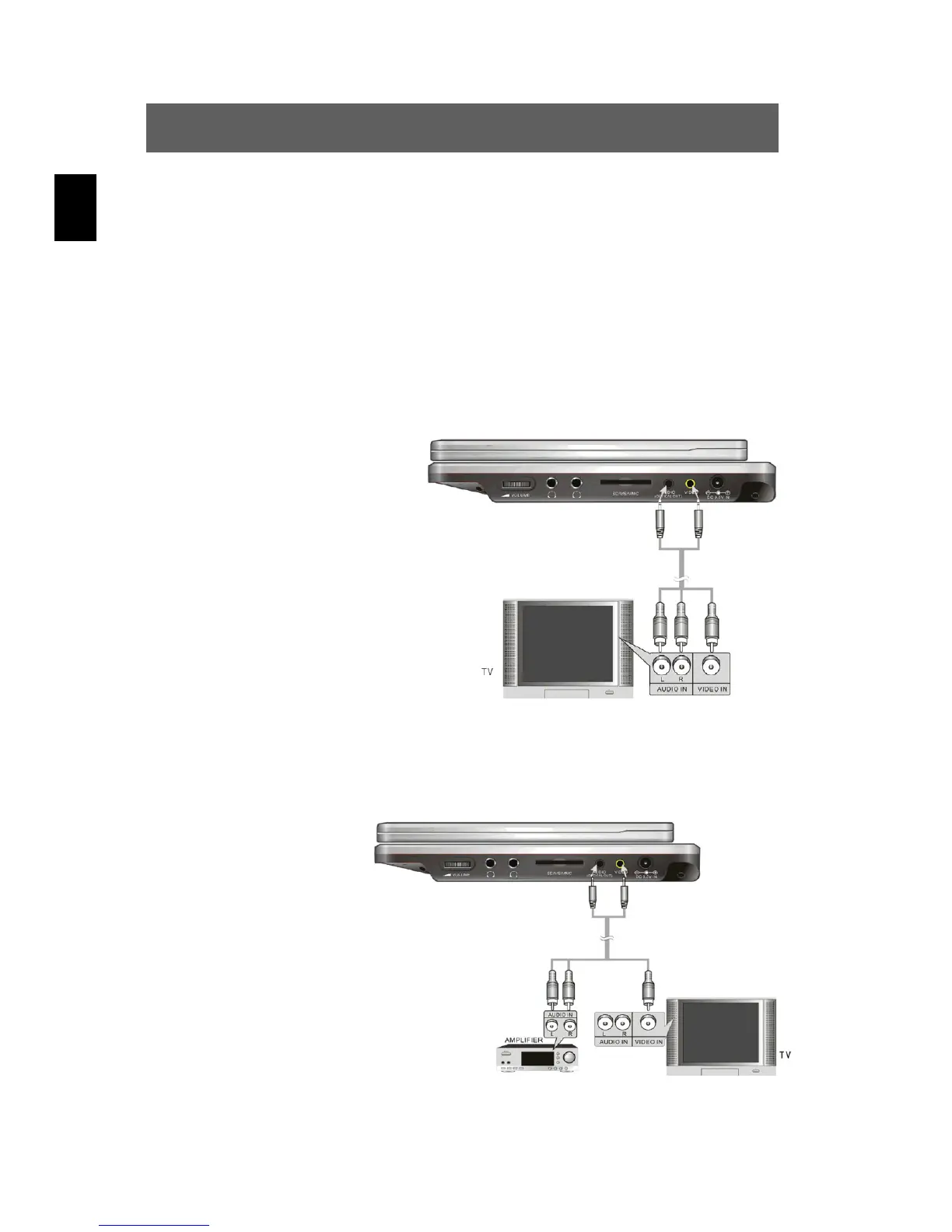
4.1 Connecting to a television set
Audio/video connectors
Using the audio/video
cables, connect the DVD
player to the A/V inputs of
the television set as shown
in the illustration.
4.2 Connecting to an amplifier
Prior to connecting the
DVD player to an
external audio device,
read the operating
instructions for the
respective device.
Connect the DVD
player to the A/V
amplifier as shown in
the illustration.



 To Next Page