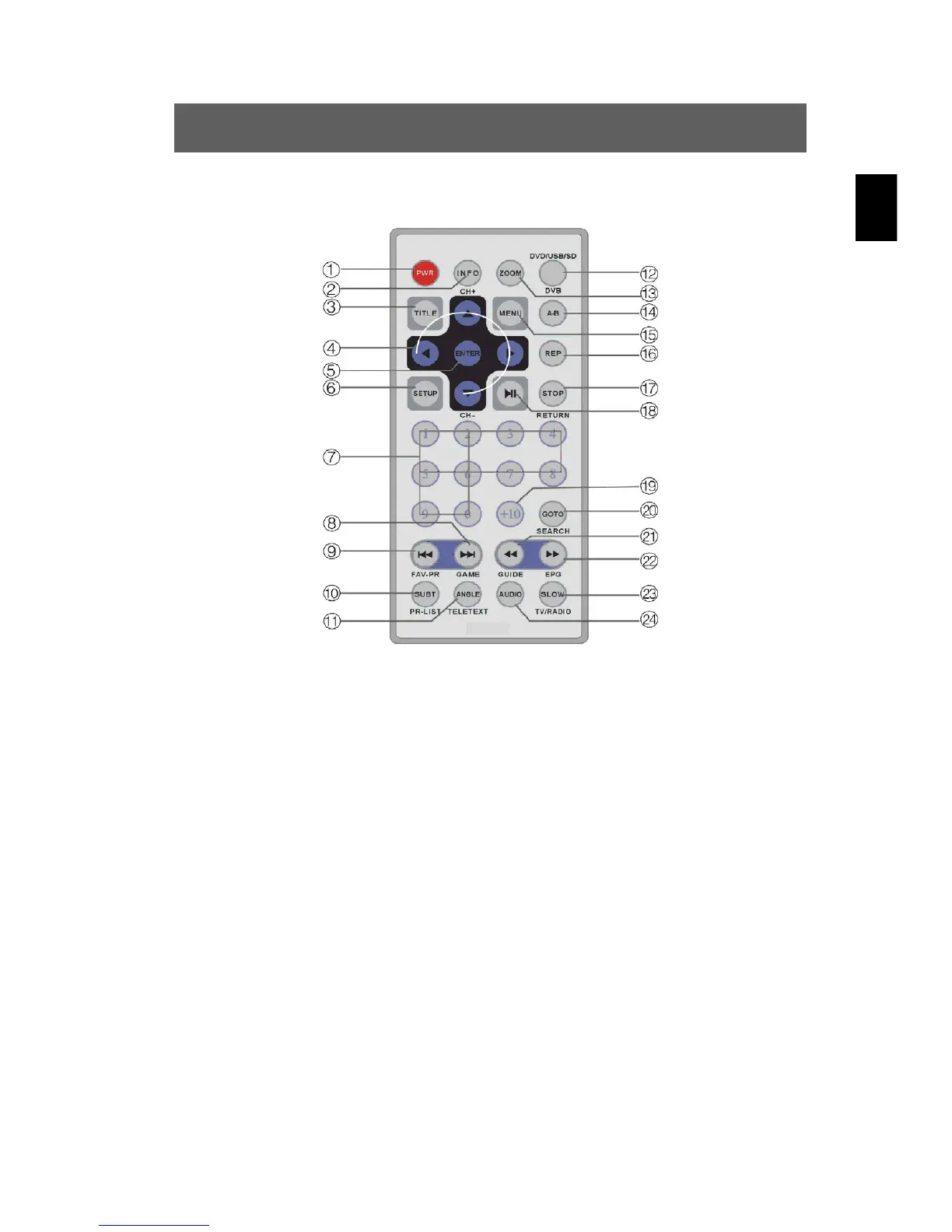
ODYS PDV 67003 DVB-T
15
EN
3.3 Buttons of the Remote Control
1. PWR
For switching the device on and off
2. INFO
Displays or hides detailed information about the disc in the device
3. TITLE
Shows the title menu if the disc contains subtitles.
4. Direction buttonsn
/ CH+ CH-
Selects the menu entries or channel, both forwards and backwards (DVB)
5. ENTER
For confirming your selection
6. SETUP
Access to system settings for the DVD or DVB mode
7. Numerical buttons (0-9)
To select the corresponding number for title, chapter, time etc.
8.



 To Next Page